


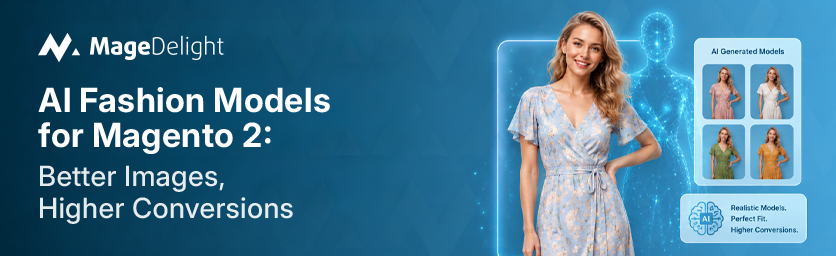
Here is a number worth sitting with: 77% of shoppers say high-quality product images directly influence their purchase decisions, rating visuals above detailed descriptions, customer reviews, and even price information. Yet the majority of Magento 2 fashion stores are still launching seasons with flat-lay shots, ghost mannequins, or white-background stills that give shoppers almost no sense of how a garment actually fits or feels. That gap is not a brand preference. It is a revenue problem.
Traditional on-model photography, the format that 95.6% of top fashion ecommerce brands use as their primary presentation style, costs between $2,000 and $10,000 per shoot for small-to-mid-size brands. For a catalog of 200 SKUs with seasonal updates, that math gets painful fast. AI-powered fashion model generators have changed the calculation entirely. Brands are now producing the same on-model imagery at a fraction of the cost, with turnaround times measured in minutes rather than weeks, directly from the Magento 2 admin panel.
This guide covers how AI fashion model technology works inside Magento 2, why the image quality gap costs you conversions, which extensions give you the most practical value, and how to decide which approach fits your catalog size and budget.
Why Product Images Drive Fashion Ecommerce Conversions?
Fashion is the hardest vertical to sell online. Customers cannot touch fabric, check fit, or see how a color looks in their lighting. The product image is doing all the work that a fitting room does in a physical store. When that image is a flat garment on a white surface, it answers almost none of the questions shoppers are actually asking.
On-model product photos outperform flat-lays by 20–30% in conversion rate - a figure that has held across A/B testing studies and platform analysis for years. For a brand doing $2 million in annual revenue at a 2.5% baseline conversion rate, a 20% improvement in conversion across the full catalog translates to $400,000 in additional revenue. The photography budget is not a cost center. It is the most under-optimized conversion lever most fashion merchants have.
The return problem reinforces this even further. Online fashion return rates sit at 30–40% of all orders, with fit uncertainty being the primary driver. According to Salsify's 2025 Consumer Research Report, 71% of consumers have returned products because the item did not match the listing. Every one of those returns involves processing costs, potential inventory damage, and a customer who is unlikely to purchase again. Better images reduce that rate.
High-resolution product images deliver a 94% higher conversion rate compared to low-resolution photos, according to product photography research cited across multiple ecommerce benchmarking sources.
What AI Fashion Model Generators Actually Do?
The term 'AI fashion model' covers a few distinct workflows. It helps to know which one solves your specific problem before evaluating any extension.
Flat-Lay to On-Model Conversion
This is the most commercially useful workflow. You upload a product photo - a flat lay, ghost mannequin, or hanger shot - and the AI dresses a virtual model in that garment. The output is a photorealistic on-model image showing how the item fits and drapes on a human body. No physical model is required. No studio. No scheduling.
Text-to-Image Catalog Generation
The AI analyzes your existing product data - descriptions, category attributes, material details - and generates fashion-centric images from that text. This is particularly useful for brands building catalog content before physical samples arrive, or for creating lifestyle variation shots without additional photography.
Customer Virtual Try-On
Shoppers upload their own photo on the product page and see themselves wearing the garment before purchasing. This is a different capability from catalog image generation - it is a front-end shopper experience feature rather than a back-end content production tool. Both can coexist in a well-configured Magento 2 store.
The AI in fashion market reached $2.92 billion in 2025, growing at 40.8% compound annual growth rate. By the end of 2026, an estimated 40% of all ecommerce apparel listings will feature AI-generated product images. Brands that build these workflows now are not adopting an experiment - they are establishing the infrastructure their competitors will be scrambling to catch up with.
The Real Cost Comparison: AI vs Traditional Photoshoots
Here is what a traditional on-model fashion shoot actually costs, broken down honestly:
- Photographer (ecommerce-experienced): $1,000–$3,500 per day
- Studio rental: $300–$1,500 per day
- Professional model: $400–$2,000 per day
- Hair and makeup artist: $400–$1,200 per day
- Stylist: $400–$1,000 per day
- Post-production retouching: Often underestimated; adds 30–50% to base costs
- Reshoots and scheduling delays: $1,500–$3,000 each when they happen
Most brands shooting 20–40 looks per day land at $2,000–$10,000 per session. A seasonal fashion brand doing four to six shoots per year spends between $8,000 and $60,000 annually on photography alone. For a catalog of 500+ SKUs, those numbers become functionally impossible to sustain - which is why most high-volume stores default to flat-lays for the majority of products and only shoot hero items on-model. That is the conversion gap that AI eliminates.
AI fashion model generators cost $0.10–$1.17 per image depending on the tool and generation count. A 200-SKU brand producing six images per product spends roughly $90,000 doing this traditionally. The same output with AI tools lands at $150–$1,700. The math is not close.
ASOS reported cutting photography production costs by 23% in 2024 after integrating AI-powered imaging tools that replaced traditional studio shoots for routine catalog photography.
AI Fashion Image Solutions for Magento 2: A Practical Comparison
The table below covers the main options Magento 2 merchants have for AI-powered fashion imagery, based on publicly available pricing and feature information.
|
Solution |
Method |
Input Required |
Bulk Generation |
Pricing |
Virtual Try-On |
|
MageDelight AI Fashion Image Generator |
AI (text prompt + product image) |
Text desc / product photo |
Yes (CSV) |
$299 one-time |
Extension available ($149/yr) |
|
Webkul AI Base Image Generator |
AI (Gemini API) |
Existing product image |
Yes |
Requires Gemini API plan |
No |
|
HuHu AI Fashion Try-On (Magento 2) |
AI try-on |
Flat lay / hanger / ghost |
Yes (CSV) |
Custom |
Yes (core feature) |
|
MageDelight AI Garment Virtual Try-On |
Customer self try-on via Ayna API |
Approved garment image |
N/A (per-shopper) |
$149/yr |
Yes (customer-facing) |
|
Traditional photoshoot |
Manual studio shoot |
Physical samples |
No (per SKU) |
$2,000–$10,000/shoot |
No |
MageDelight AI Fashion Catalog Image Generator
MageDelight's AI Fashion Catalog Image Generator is the most Magento-native option for fashion merchants who want to generate on-model catalog images without leaving the admin panel. The extension works by analyzing your existing product data - descriptions, category attributes, and existing product photos - and generating fashion-centric model images directly within Magento 2.
The bulk generation via CSV is the differentiator that matters for catalog-heavy brands. Instead of generating one SKU at a time, you can update an entire seasonal collection in one batch operation. For a boutique adding 50 new SKUs per week, this alone removes a significant production bottleneck.
It is part of MageDelight's broader AI-powered extension suite for Magento 2, which also includes an AI Garment Virtual Try-On, AI Content Generator, AI Review Summary, and Google Vertex AI Product Recommendations - making it straightforward to build a complete AI-powered store experience without piecing together multiple vendor relationships.
- Best for: Fashion retailers needing catalog-scale on-model images integrated directly with Magento 2
- Pricing: $299 one-time; virtual try-on extension $149/year
- Standout feature: Bulk CSV generation, native Magento 2 admin integration, Hyvä-ready
Webkul AI Base Image Generator
Webkul's AI Base Image Generator for Magento 2 takes a different approach: it uses your existing product photo and applies AI to generate new model images with customizable attributes including age, gender, body type, and skin tone. The extension runs on Google Gemini API, which requires an active paid API plan.
The customization depth on model attributes is useful for brands serving diverse customer demographics who want imagery that actually represents their audience. The limitation is that this tool focuses on individual image generation rather than bulk catalog workflows, and the ongoing Gemini API cost is a variable that needs to be factored into total cost of ownership.
- Best for: Brands prioritizing diversity and representation in model imagery
- Pricing: Module cost plus Google Gemini API plan (paid)
- Standout feature: Model attribute customization: age, gender, body type, skin tone
MageDelight AI Garment Virtual Try-On (Customer-Facing)
Separate from the catalog image generator, MageDelight's AI Virtual Try-On gives shoppers the ability to upload their own photo on the product page and generate a realistic try-on image showing how the garment looks on them. Results are saved in a 'My Try-ons' area for comparison and sharing.
This is a front-end conversion tool rather than a back-end production tool. The connection to reducing return rates is direct: when shoppers can see themselves wearing a garment before purchasing, purchase confidence goes up and return rates come down. The extension connects with Ayna Garment Photoshoot Generator APIs and includes admin controls for garment image roles, content policy enforcement, and auto-purge schedules for storage management.
- Best for: Stores wanting to reduce fashion returns and increase purchase confidence
- Pricing: $149/year
- Standout feature: Customer-facing try-on with saved results, privacy controls, and admin policy management
How Bulk AI Image Generation Works in Magento 2?
For merchants who have not used a catalog AI image tool before, the workflow is worth understanding before committing to any extension.
- Install the extension through your Magento 2 admin panel. For MageDelight's extensions, this comes with complimentary professional installation and a technical support call.
- Prepare your product data. The extension uses existing product descriptions, category assignments, and any uploaded flat-lay or hanger images.
- For bulk generation, export a CSV of products you want to update. Configure your visual preferences: model type, background style, scene context.
- Upload the CSV and run the batch job. The AI generates images for each SKU and saves them directly to the product gallery, auto-linking them to the Magento catalog.
- Review generated images, approve or regenerate as needed, and publish. What previously took three weeks of coordinating photographers, models, and studios is now a same-day process.
The generated images are formatted to Magento image standards, ensuring correct display across product listings, gallery views, and thumbnails without additional resizing or reformatting. They also support Hyvä theme compatibility at no additional cost - which matters for merchants running Hyvä for page speed performance.
SEO and Catalog Speed: The Indirect Benefits
AI-generated catalog images deliver two additional benefits that often go unmentioned in the tool comparisons.
Faster Time-to-Market
Traditional shoots require two to three weeks from booking to final images. AI tools deliver finished photos in minutes. For fashion brands where trend cycles move fast - and where sitting on inventory waiting for photography means losing the window - this speed advantage is a genuine competitive edge. As Adobe's 2026 Digital Economy Index reported, AI-driven ecommerce traffic surged 693% year-over-year during the 2025 holiday season, with AI-generated visual content playing a key role in enabling smaller brands to scale catalog launches quickly.
Consistent Brand Presentation Across the Catalog
One of the hidden costs of traditional photoshoots is visual inconsistency. Different lighting conditions, varying model poses, and shoot-by-shoot variability produce a catalog that looks assembled rather than curated. AI-generated images apply consistent styling rules across every SKU, so your product pages look like they came from the same brand - not from four different shoots spread across a year.
For Magento 2 merchants using AI Content Generator alongside the image generator, the combination creates a fully AI-augmented product page: consistent on-model images, SEO-optimized descriptions generated from product attributes, and review summaries that surface the most useful customer feedback without requiring shoppers to read through 150 individual reviews.
Responsible Use: What to Know About AI Fashion Imagery
The technology is good enough now that most shoppers cannot distinguish AI-generated from traditional photography - a 2024 industry study found 71% of consumers cannot tell the difference when shown side by side. That creates real responsibilities.
The FTC has begun scrutinizing AI-generated content in advertising, and several European markets require disclosure of synthetic imagery. Amazon's updated 2025 image policy specifically permits AI-enhanced imagery provided it accurately represents the actual product. Brands that misuse AI to create deceptive imagery - misrepresenting color, fit, or construction - face regulatory risk and customer backlash that no cost saving justifies.
The practical standard is straightforward: generated images must accurately reflect how the garment actually looks, fits, and drapes. Used within that standard, AI images serve the same function as traditional photography while giving smaller brands access to on-model imagery that was previously only practical for retailers with large photography budgets.
Decision Framework: Which Approach Fits Your Store
You have a large catalog (200+ SKUs) and need to move fast
Use MageDelight's AI Fashion Catalog Image Generator with bulk CSV generation. The $299 one-time cost pays back within a single avoided photo session. Focus initial bulk generation on products currently showing flat-lay images - those are the pages leaving the most conversion on the table.
You want to reduce returns as much as drive initial conversions
Add AI Garment Virtual Try-On alongside the catalog image generator. The catalog images handle the shopper who is browsing and evaluating. The try-on handles the shopper who is nearly convinced but wants confirmation before committing. Used together, they address conversion at two distinct points in the purchase journey.
You want maximum model diversity across your catalog
Consider Webkul's AI Base Image Generator for SKUs where representation matters most. The model attribute customization - adjusting age, gender, body type, and skin tone - gives you flexibility that standardized virtual models do not. Factor in the ongoing Gemini API cost when evaluating total investment.
Your conversion problem is seasonal speed, not ongoing catalog depth
Most emerging brands find that a hybrid approach works best: professional photography for core hero products and campaign imagery, AI generation for the full catalog tail and seasonal variations. The professional photography anchors brand quality signals at the top of the funnel. AI generation ensures every SKU has on-model imagery rather than leaving 70% of the catalog on flat-lays.
Final Thoughts
The fashion image problem in Magento 2 stores has always been the same: on-model photography is the format that converts, but traditional production makes it economically inaccessible for anything beyond hero products. AI fashion model generators close that gap.
For Magento 2 merchants, the practical starting point is MageDelight's AI Fashion Catalog Image Generator - it integrates directly with the admin panel, supports bulk operations, and costs less than one standard photoshoot. Pair it with the AI Garment Virtual Try-On for the complete conversion and returns picture.
Merchants evaluating the broader AI stack for their store can explore MageDelight's full AI-powered Magento 2 extensions, which now includes twelve tools covering image generation, virtual try-on, personalized recommendations, content generation, and multilingual translation. The catalog-to-conversion pipeline has never been more complete - or more accessible for stores without enterprise-scale photography budgets.
