


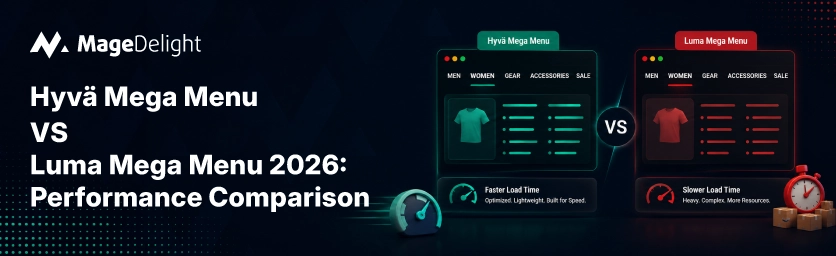
The big menu is one of the parts of a Magento store. It appears on every page. It holds information about categories, pictures, and often has complicated menus that go several levels deep. That makes it a good example to compare Hyvä and Luma. The framework that handles the menu better usually does better on the site. On the Magento Open Source 2.4.8 setup, different tests from 2026 showed that Luma's Largest Contentful Paint was 4.1 seconds while Hyväs was 0.9 seconds. Also, Interaction to Next Paint was 380ms for Luma and 60ms for Hyvä. This difference is most obvious in the kind of complicated menus a big menu requires.
This explanation shows why the difference exists with the menu, what the real numbers are, and what it takes to move a Luma menu to Hyvä.
Why the Mega Menu Is Where the Difference Shows Up Most
A big menu is not a drop-down. It usually shows category structures, small pictures, special messages, and sometimes product details before a customer even goes past the top part of the page. On Luma, this means RequireJS loading parts of the code, KnockoutJS managing the parts of each menu, and jQuery handling the way people click and hover over the menu. Luma's front end was created in 2013, when this way of doing things made sense. In 2026, it means the browser has to download, read, and run hundreds of kilobytes of JavaScript before someone can even open a menu properly.
Hyvä changes all of that with Alpine.js, a framework that is under 15KB, and it uses simple instructions written directly in the page rather than a separate part of the code. The menu's open/close and hover states are handled with a fraction of the code, and because Hyvä templates are plain PHTML rather than deeply nested XML layout blocks, the server-side rendering path is shorter too, not just the client-side execution.
The Real Numbers
|
Metric |
Luma Mega Menu |
Hyvä Mega Menu |
|
JS framework driving the menu |
RequireJS + KnockoutJS + jQuery |
Alpine.js (~14KB) |
|
Typical frontend JS payload |
~300–450 KB before interactivity |
~70–150 KB total |
|
Largest Contentful Paint (mobile) |
3–5 seconds, uncached |
1.2–1.8 seconds |
|
Interaction to Next Paint |
~380ms (production benchmark) |
~60ms (production benchmark) |
|
Rendering approach |
XML layout + nested UI components |
Plain PHTML templates + Alpine directives |
|
Mobile PageSpeed score (typical) |
18–45 |
80–100 |
These numbers come from tests in 2026, not just one source. The results can be different depending on where the site's hosted, how the caching is set up, and how much a specific Luma theme has been changed. However, the direction and size of the difference is the same in every test looked at: Hyvä is better in all the performance measures, usually by a lot.
One important caveat from the Mage-OS 2026 benchmark: with Full Page Cache and Varnish enabled, both stacks serve cached HTML at near-identical speed for a repeat, cached page view. The gap above reflects uncached rendering, which is what a shopper actually experiences on their first visit to a category, or any page your cache layer hasn't warmed yet. A mega menu, loaded on every page including the very first one a new visitor lands on, is disproportionately exposed to that uncached path.
What Actually Changes at the Code Level
• Luma: menu state lives in KnockoutJS observables, bound through data-bind attributes, with RequireJS resolving each module's dependencies asynchronously before the menu becomes interactive.
• Hyvä: menu state lives in Alpine's x-data object, declared inline in the template, with no separate module resolution step; the browser parses and runs the behavior as part of rendering the HTML itself.
• Luma: styling comes from compiled LESS, often 250KB or more of CSS after compilation, much of it unused on any given page.
• Hyvä: styling comes from Tailwind CSS with build-time purging, so only the utility classes actually used in the menu ship to the browser, typically under 20KB.
The backend, catalog data, category structure, and admin configuration don't change between the two. A migration replaces the frontend rendering layer; it doesn't touch how your products or categories are stored.
Not Every Mega Menu Extension Is Hyvä-Ready by Default
A Luma-built mega menu extension doesn't automatically work once you switch themes. Hyvä requires purpose-built compatibility modules for any extension that injects frontend JavaScript, since the underlying framework it depends on, KnockoutJS or jQuery, simply isn't loaded in a Hyvä storefront. Before migrating, audit which of your installed extensions, mega menu included, have an official Hyvä-compatible version rather than assuming the existing one will keep working.
MageDelight's Mega Menu extension is built Hyvä-ready, with drag-and-drop menu creation, Varnish caching compatibility, and support for horizontal, vertical, and drill-down layouts, so the navigation itself doesn't become the blocker in a Hyvä migration.
What It Takes to Move a Mega Menu to Hyvä
• Audit the current menu's structure, how many levels deep, how many categories, whether it includes images or promotional CMS blocks, since complexity affects both migration time and post-migration performance.
• Confirm your mega menu extension has an official Hyvä-compatible release rather than relying on the Luma version continuing to function.
• Test the migrated menu specifically on mobile and with Full Page Cache disabled, since that's the uncached path where the performance gap is most visible.
• Plan for a full theme change rather than just changing the menu alone. The menu is one part of a Hyvä switch, not just a single change.
For stores that want to change everything, MageDelights Hyvä Theme Development service, which is supported by MageDelight being a Hyvä partner, covers the whole move. This includes design and making other parts of the site work with Hyvä, not just changing the look.
The Menu Is a Symptom, Not the Whole Story
A slow menu on Luma is not really a menu problem. It is a sign of the old way of doing things that makes other parts of the page slow. Fixing the menu helps, but the biggest gain comes from changing the way the front end is built. The numbers, which show an improvement in the main performance measures, are real because they show how the two systems build and run code differently, not just a small change either side could copy.
If your site's menu is the thing you want to fix, or if you're ready to plan the full move, MageDelights Hyvä Theme Development team can look at what a menu that works with Hyvä and a full front-end change would look like for your store.
Frequently Asked Questions
Will my existing Luma mega menu extension work after switching to Hyvä?
Not automatically. Extensions that inject frontend JavaScript built for Luma's stack, RequireJS, KnockoutJS, or jQuery, need a dedicated Hyvä-compatible version. Check with your extension vendor before migrating rather than assuming compatibility.
Does the mega menu performance gap matter if I have Full Page Cache enabled?
Less than you might think for pages that are seen again. It still matters for the first time a visitor sees a page and for any page that hasn't been seen before. Since the big menu is on every page, it is more likely to be seen for the first time than other parts of the page.
How long does moving a menu to Hyvä really take?
It depends on how complicated the menu's whether it is part of a full theme change or a single fix. A full switch from Luma to Hyvä for a store usually takes between 4 and 12 weeks. The menu is part of this project, not a separate task.
Is Hyvä worth it for the menu or should I change the whole theme?
Changing one part is possible but not very efficient. Hyvä changes the way the front end works, not just one part. Most stores get benefits by changing the whole theme, not just the menu.
