Extension Key Features
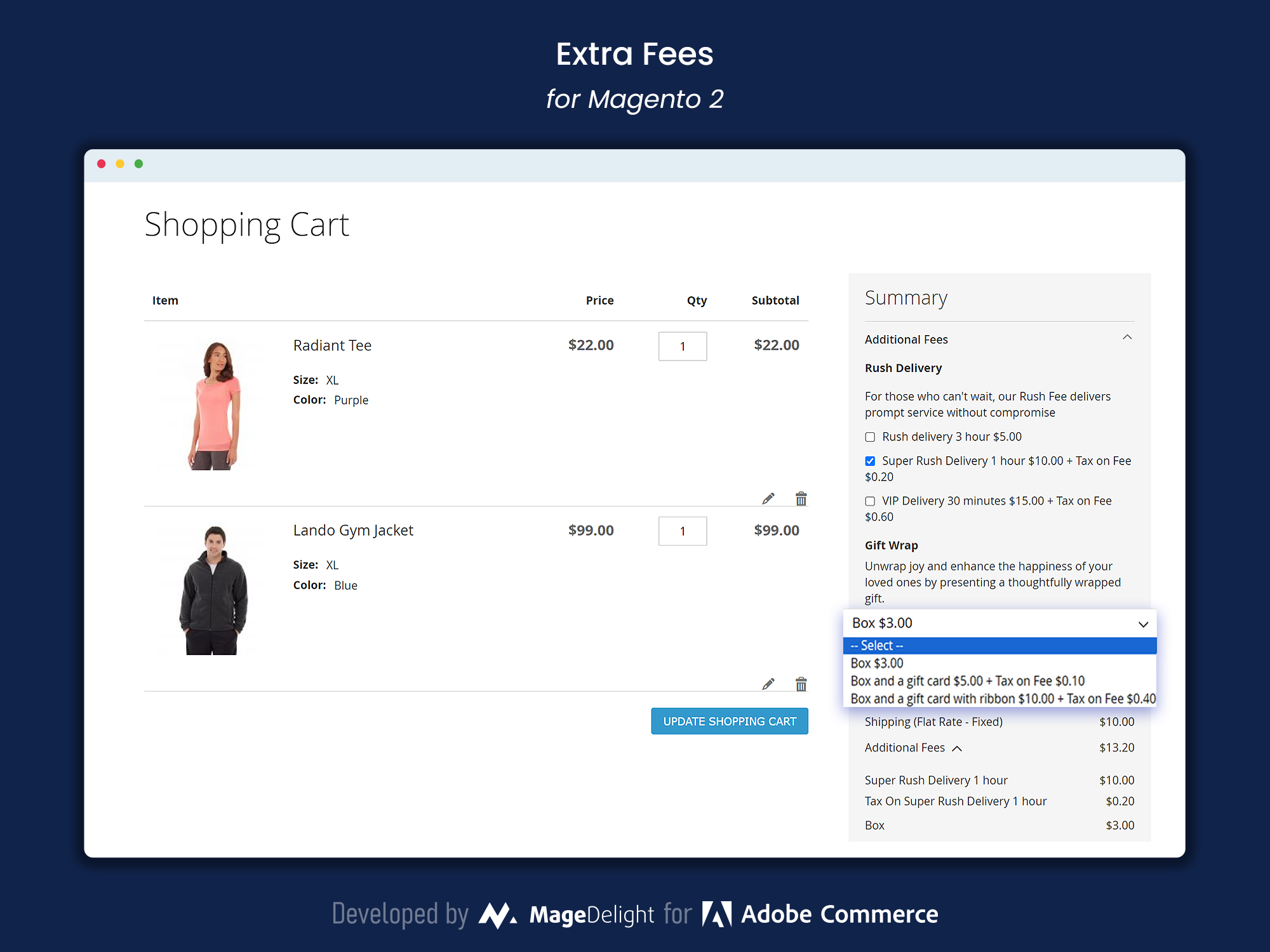
Extra Fees Section in Shopping Cart
During checkout customers can see and select from the additional services offered by the store admin in the extra fees section. This section is displayed prominently in the cart or at checkout and shows premium services to enhance the shopping experience. Rush Delivery, Super Rush Delivery, VIP Delivery and Gift Wrapping are displayed with descriptive labels and prices so customers can make an informed decision and customise their order according to their needs. Each service can have a custom description to explain the benefits so customers know what they are getting. Once a service is selected the cost is automatically calculated and shown in the cart summary for full transparency. By offering these extra services in a clear and easy way you not only increase customer satisfaction but also opportunity to upsell.
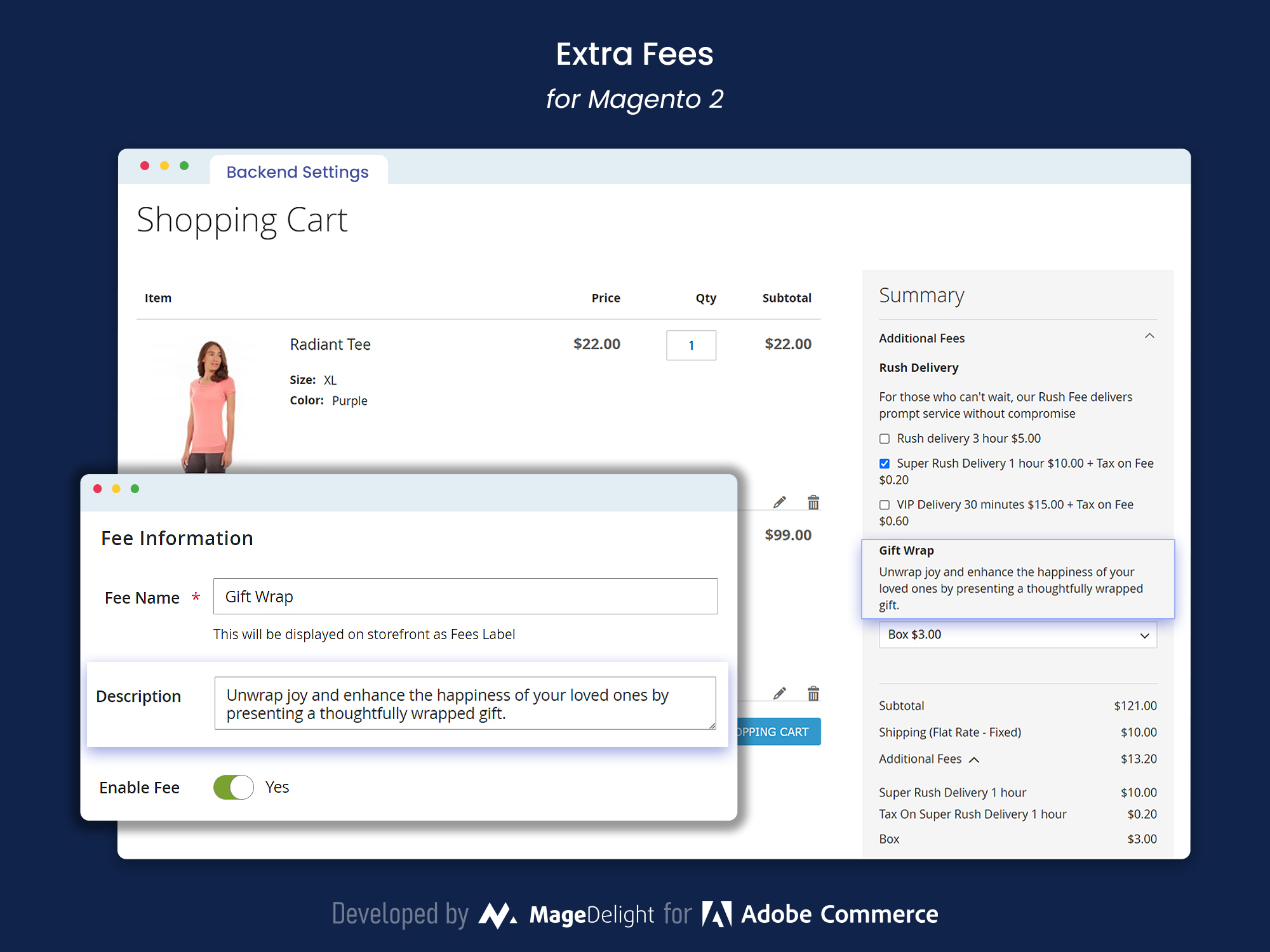
Flexible Extra Fee Information Display
The Extra Fees Magento 2 Extension lets store managers easily set up and show extra fees on their store's front end. You can customize each extra fee with a clear label, so customers know what they're paying for. Think of things like Express Delivery, Gift Wrapping, or Premium Packaging. Add labels that explain each charge, which builds trust with customers. These labels show up on the product page, in the cart, and during checkout, so shoppers see all the optional services. Store managers can also change the fee descriptions to explain the benefits of each service, helping customers decide. This setup improves the user experience and encourages customers to use extra services.
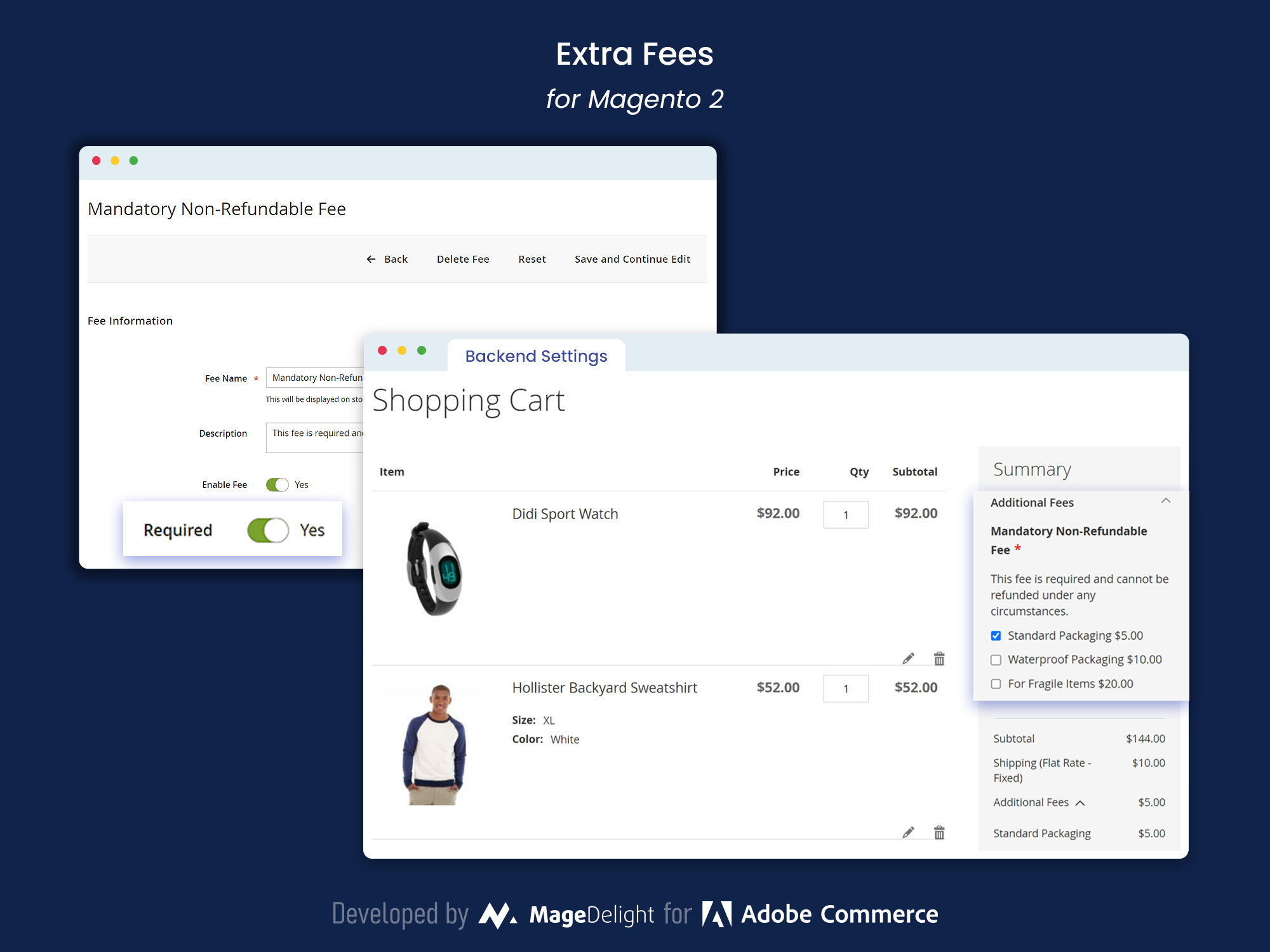
Admin Management of Compulsory Non-Refundable Fee
The Magento 2 Extra Fees add-on lets store managers set up required, non-refundable fees that are automatically added to certain products, services, or orders. These fees are good for things like handling, packaging, or compliance costs that can't be avoided and need to be shown to the customer.
Once set up, these fees are a fixed part of the order, so they're always in the total price. Customers can easily see these charges in their cart and when they checkout, which makes everything clear and less confusing. Managers can add labels and descriptions for each fee, so shoppers know exactly why they're being charged, which builds trust. This helps merchants cover expenses while keeping the shopping experience smooth for customers.
Flexible Display Type of Extra Fees
The Extra Fees Magento 2 Extension lets store managers set up required, non-refundable charges that automatically apply to certain products, services, or order situations. These fees are handy when you have unavoidable expenses like handling, packaging, or compliance costs that need to be added to the customer's cart clearly.
Once set up, these fees are a permanent part of the order summary, so they're always included in the final price. Customers will see these charges in their cart and at checkout, which builds trust by being upfront about costs. Managers can write detailed labels and descriptions for each fee, explaining why it's there and building customer confidence. This helps stores cover costs while keeping the shopping experience smooth.
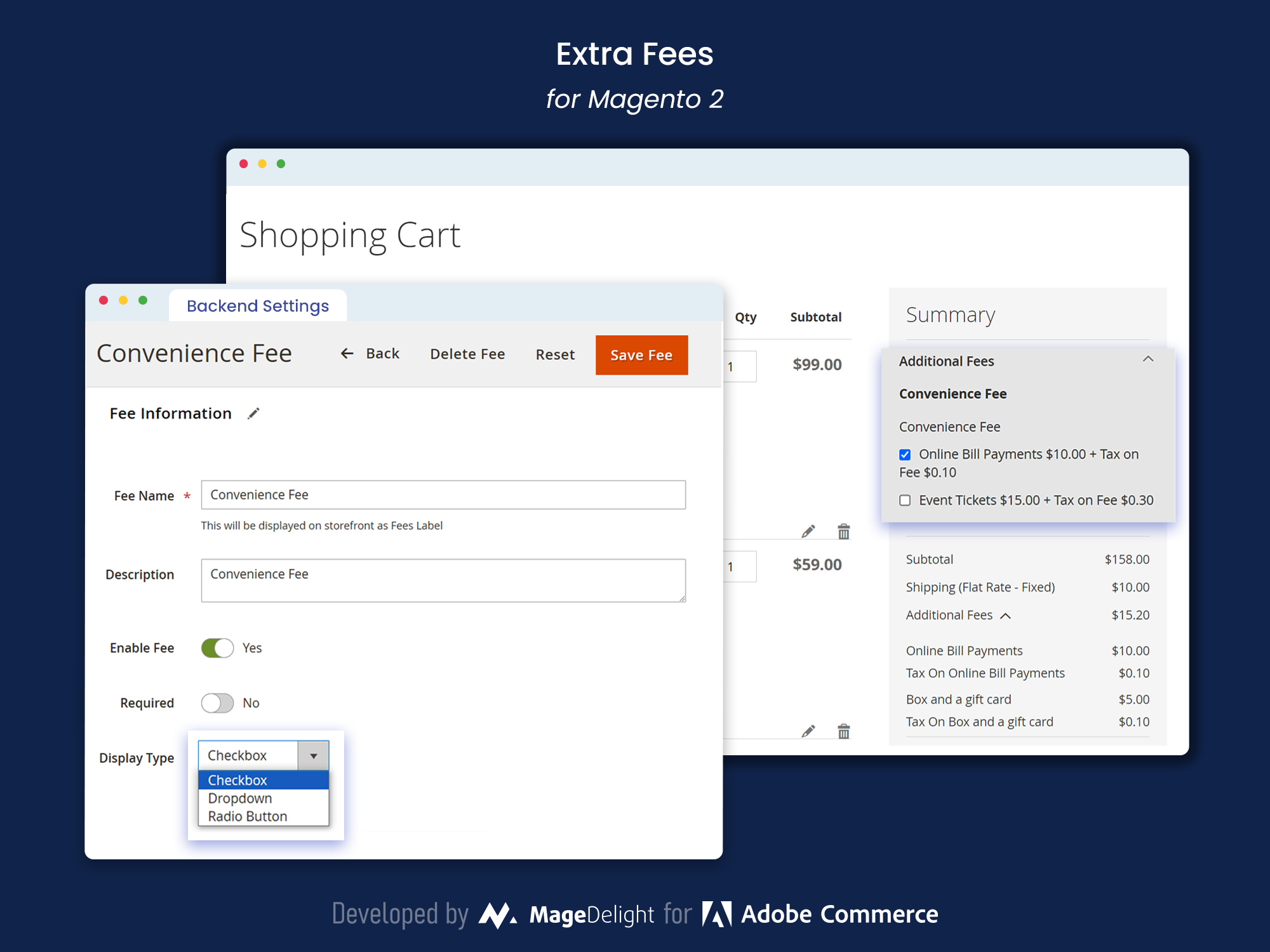
The Extra Fees Magento 2 Extension gives store owners a lot of flexibility in how these extra fee options appear to customers during checkout. To blend in with your store's look and keep things easy for customers, you can pick from choices like checkboxes, drop-down menus, or radio buttons. This makes sure extra services or fees—like gift wrapping, faster shipping, or setup—are shown in a way that makes sense with the checkout layout. For example, checkboxes work great when customers can pick several extras, while radio buttons are good for options that exclude each other, like faster shipping choices. Drop-down menus can save space while still giving clear choices. By changing how extra fees look, you can make picking optional services easy to use and consistent with your store's style, making shopping better for everyone.
Sorting of Extra Fee Rules
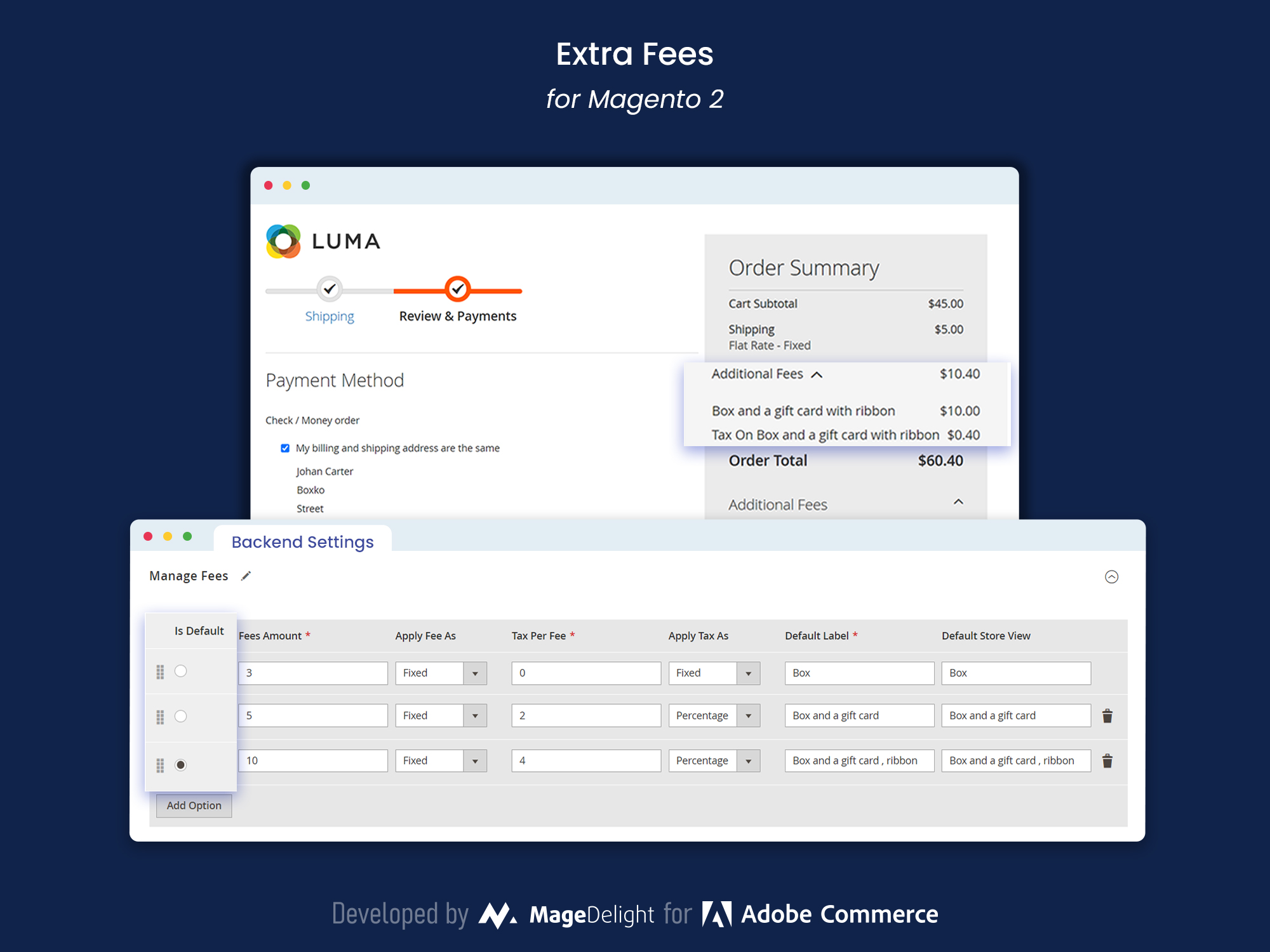
The Magento 2 Extra Fees thingy lets store managers easily sort and rank extra fee rules to fit what the business wants. This helps you put fees for extra costs or services in order when people are checking out, so the best or most important ones show up first. For example, you can put VIP Delivery or Gift Wrapping at the top to get more people to pick them. Putting the fee options in a smart order helps get customers to choose the services that make more money, while keeping the checkout easy to use. This sorting trick not only shows off the key services but also helps sell more stuff, lining up how you show extra fees with what your business wants and what customers expect.
Customers can Compare Order Total
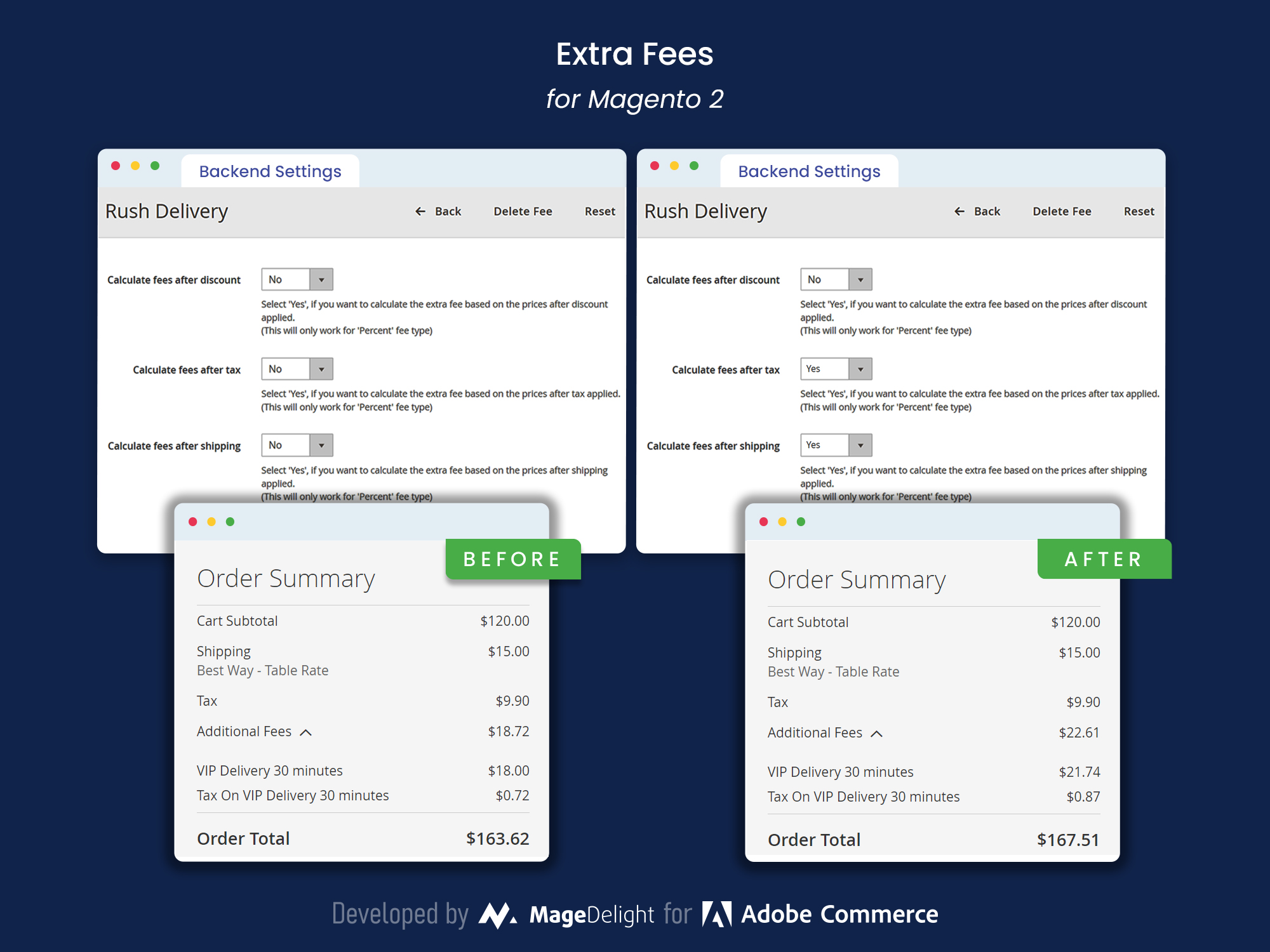
The Magento 2 Extra Fees add-on makes checkout easier to understand. Customers can quickly see their full order cost, with things like tax and shipping laid out clearly. This lets them know exactly how any extra stuff changes the price, so they can decide before they buy. They can turn on or off extra services (like gift wrap or fast shipping) and see the price change right away in their cart. By showing all costs upfront – required fees, extras, taxes, shipping – you build trust and cut down on abandoned carts because of surprise fees. Customers feel in charge, which makes them happier with shopping. With this clear view, you can build customer trust and also gently suggest they pick those extra services.
Admin can Set Up Conditions for Extra Fees
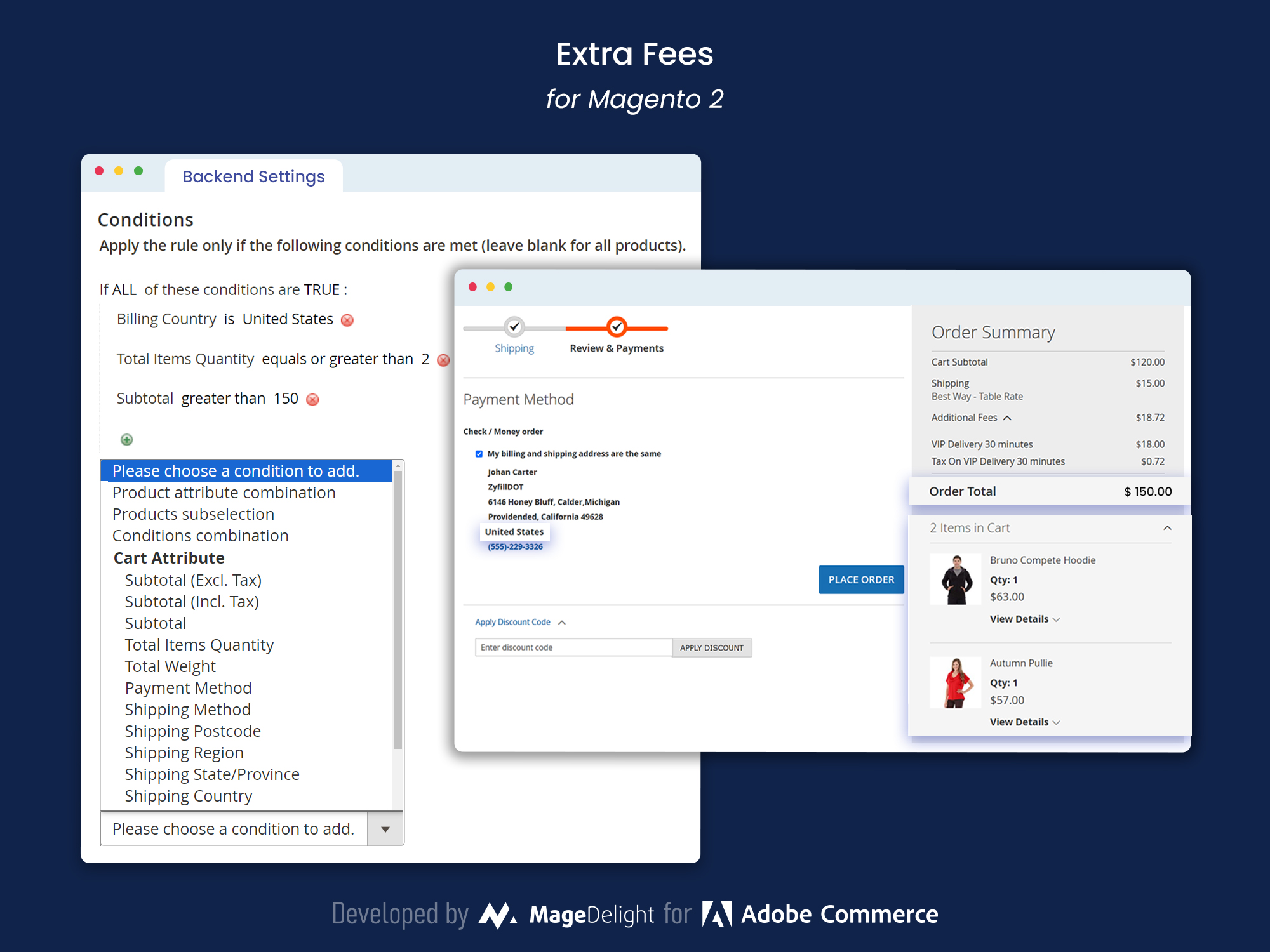
Okay, so the Extra Fees Extension for Magento 2 lets you, as a store admin, control when extra fees pop up at checkout. This means you can make sure people only pay extra when it really makes sense, which keeps things fair and customers happy. You can set rules based on things like how heavy the order is, where it's going, the total cost, or even what kind of customer is buying.
For instance, you could add a charge for shipping to far-off places, or a packaging fee if the order is super heavy. You can set all this up easily in the admin panel, which helps keep your pricing consistent. By setting these conditions for extra fees, sellers can make things run better, cover real costs, and keep customers happy without adding bogus charges.