


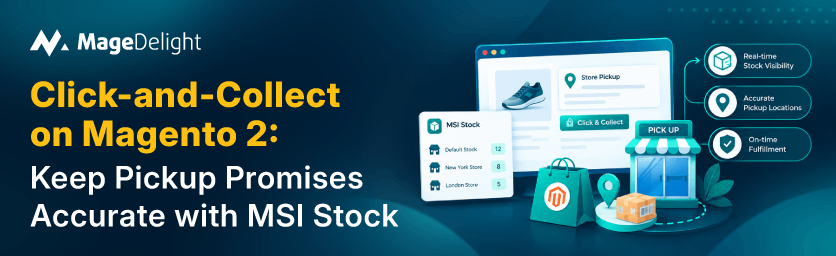
Click and collect promises that your item will be at the store and ready at a set time. If a customer drives across town on that promise and finds a shelf, they lose more than an afternoon. They also lose trust in the stock numbers, and rebuilding that trust is difficult. The problem rarely lies in the pickup feature itself; it is always caused by the inventory behind it.
On Magento 2, that inventory layer is called Multi‑Source Inventory or MSI. This guide explains how MSI determines what is available, why pickup promises can fail, how to set up pickup so the numbers remain accurate, and how the MageDelight In‑Store Pickup extension works with Magento’s tools.
How MSI Decides What Is Available
MSI separates where stock sits from how it is sold. Sources hold the physical quantities, and stocks group those sources and connect them to your websites. The number a shopper can actually buy is the salable quantity, which Adobe's documentation describes as the physical quantity minus open reservations and the configured out-of-stock threshold.
|
MSI Term |
What It Means |
Why It Matters for Pickup |
|
Source |
A physical place that holds stock: a warehouse, a store, or a dropship location |
Each pickup store should map to its own source, with its own quantities |
|
Stock |
A group of sources that feeds one or more sales channels (websites) |
A source that is not assigned to the right stock will not feed the storefront |
|
Salable quantity |
Physical quantity minus open reservations and the out-of-stock threshold |
This is the number a pickup promise should be based on |
|
Reservation |
A hold placed on stock when an order is placed, before anything ships |
Stops two customers claiming the last unit |
|
Source selection algorithm |
The rule that decides which source fulfils an order |
Distance Priority picks the closest source, which native pickup relies on |
|
Pickup location |
A source switched on for in-store pickup |
Without this flag a store cannot be chosen at checkout |
Reservations are the part people overlook. When an order is placed, Magento reserves the stock straight away. The reservation turns into a real deduction from the source only when the order ships. That is why salable quantity can be lower than the quantity a store employee counts on the shelf: some of those units are already spoken for.
Where Pickup Promises Go Wrong
Most failed pickups can be traced back to a few common causes. Each cause can be fixed once you know where to look.
✗ The pickup store has no source of its own. Therefore, its stock is mixed into a central warehouse number. The page cannot tell what is in that pickup store.
✗ The source is not assigned to the stock that feeds the website. Thus, the storefront never sees the quantities for that pickup store.
✗ Store counts drift because nothing syncs them with the shop floor or the point‑of‑sale system for that pickup store.
✗ Orders are cancelled or edited in ways that leave reservations in the wrong state. Guides on MSI warn that cancelled orders not reversed, direct database edits, and extensions that bypass the reservation system all leave stock numbers inconsistent.
✗ Availability is shown at the website level, not for the store the customer picked.
✗ Opening hours and holidays are ignored, so a customer is offered a time slot when the store is closed.
✗ Nobody tells the customer when the order is actually ready.
Set Up Pickup the MSI Way
Magento's native in-store pickup is built on MSI, which is a good thing: the pickup promise and the stock numbers come from the same place. Adobe's documentation sets out the groundwork.
1. Give Every Store Its Own Source
Create one source per pickup store, with an accurate address and, where possible, precise coordinates. The documentation recommends specific physical locations so that the Distance Priority Algorithm can compare a customer's address with your source locations, using Google Maps or offline geocode calculations.
2. Mark the Source as a Pickup Location
In the source settings, switch on the pickup location option. Only then can customers choose that store at checkout.
3. Use a Non-Default Stock and Configure Distance Priority
Adobe lists a non-default stock and source, and a configured Distance Priority Algorithm, as prerequisites for in-store delivery. Set a search radius in kilometres for the storefront search, and optionally a price if you want to charge for pickup. The closest source within the radius is then preselected for the customer.
4. Keep the Store's Quantities Honest
Assign quantities per source on each product, or import them in bulk. Whatever process you use, make it routine. A pickup store, with quantities will lead to failed pickups no matter how smooth the checkout experience is. If your point-of-sale system or ERP system holds the counts, sync those numbers into the source system instead of editing the database directly. That way you avoid errors. Keep everything in sync.
5. Understand When Stock Actually Leaves
Magento's native pickup has no separate picked-up event. As Hyvä POS's documentation puts it, creating the shipment is the de facto fulfilment event, and that is when the deduction from the pickup source happens. Until then, the order holds a reservation, not a deduction.
The Pickup Lifecycle, Step by Step
|
Step |
What Happens |
Effect on Stock |
|
1. Order placed |
Customer picks a store, and a date and time if scheduling is on |
A reservation is created; salable quantity drops |
|
2. Picking |
Store staff collect the items from the pickup source |
Physical quantity is unchanged; the hold remains |
|
3. Invoice and status |
Order is invoiced and set to Ready for Pickup |
No change yet; the customer is notified |
|
4. Handoff |
Customer shows the PIN, and staff validate it |
No change yet |
|
5. Shipment |
A shipment is created for the order |
Reservation converts to a real deduction from the source |
I find that keeping this sequence consistent is what keeps the numbers accurate. If I skip the shipment step, for example, the reservation stays open. The physical count becomes too high.
Where the MageDelight In-Store Pickup Extension Fits
Magento's native pickup covers the stock and location basics. It is free. In my experience, what many stores want on top is the layer: when the store is open a time slot the customer chooses, and a safe handoff at the counter. That is the gap the MageDelight In-Store Pickup extension is built for.
|
Handled by MSI and native pickup |
Added by the MageDelight In-Store Pickup extension (per its manual) |
|
Sources, stocks, salable quantity and reservations |
Import of MSI sources as pickup stores, with an MSI source chosen for each store |
|
Marking a source as a pickup location |
Per-store opening hours and holiday calendars, including yearly repeats |
|
Preselecting the closest source within a search radius |
Pickup date and time slots, with a configurable interval |
|
An optional price for the pickup method |
A Delivery PIN shown by email or in My Account, validated by staff |
|
Stock deducted when the shipment is created |
A Ready for Pickup order status, and optional auto-shipment on PIN validation |
|
Storefront availability based on salable quantity |
A View Pickup Points pop-up on the product page showing store stock and pickup availability |
According to the MageDelight user manual, the In-Store Pickup extension allows customers to choose In‑Store Pickup Delivery at checkout. Customers can select a store, then choose a date and time. Guests may be. Blocked. The In‑Store Pickup option can appear as a tab or inline with other shipping methods.
One important point in the MageDelight user manual is stated plainly. The In‑Store Pickup feature that checks product availability at each store only shows availability. The manual notes that it does not manage stock or inventory at the store. Stock accuracy still comes from MSI, so the In‑Store Pickup extension helps you present and operate pickup while your sources and quantities still decide whether the promise is true.
The In-Store Pickup extension is listed for Magento Open Source, Adobe Commerce and Adobe Commerce Cloud from 2.4.0.x to 2.4.9.x. It includes GraphQL support and a Hyvä package. You can try it in the live demo before deciding. For a closer look at how a locator and pickup differ, see MageDelight's guide to store locator versus store pickup.
If you want a map-based store finder that shows stock in each store, MageDelight offers a Store Selector with Pickup, Locator and MSI extension. MageDelight’s Store Selector helps you find the store quickly.
Magento 2 Click-and-Collect Checklist
☐ Make an MSI source for every pickup store and add a full address and coordinates to that MSI source.
☐ Turn on the pickup location option for each MSI source that belongs to a pickup store.
☐ Check that every pickup source is linked to the stock that supplies the website.
☐ Set up Distance Priority to decide the search radius and, if necessary, set a pickup price for the pickup store.
☐ Create a routine to keep each pickup store's quantities in sync with the shelf.
☐ Check the opening times and days off so customers never see a time when the store's closed.
☐ Display how much is available at each store on the product page and during checkout.
☐ Use a status that says "Ready for Pickup" and a clear message so customers know when to come.
☐ Agree on a handoff routine, such as PIN validation, and train store staff on that routine.
☐ Create the shipment during handoff so that reservations turn into deductions.
☐ Test an order from checkout to collection on desktop and on mobile.
Common Mistakes to Avoid
✗ Treating the pickup extension as a stock manager. It presents availability; MSI manages it.
✗ I notice that editing stock directly in the database can make reservations inconsistent.
✗ I see that offering time slots without knowing the opening hours and holidays can confuse customers.
✗ I observe that leaving orders at Ready for Pickup without creating a shipment means stock never matches up.
✗ I realize that using one shared source for every store while expecting store-level accuracy is risky.
✗ I understand that skipping a test order before launch can lead to problems.
Make the Promise Match the Shelf
Click-and-collect works when the number on the screen matches the number on the shelf. This is mostly about keeping inventory discipline. One source per store, correct stock assignment, honest quantities, and a consistent lifecycle from reservation to shipment. The pickup layer, on top, then makes the experience smooth with the store, the right slot, and a safe handoff.
If you want that layer, explore the MageDelight In-Store Pickup extension and test it against the checklist above.
Frequently Asked Questions
Does Magento 2 have in-store pickup built in?
Yes. I have seen that Magento Open Source and Adobe Commerce include an In-Store Pickup delivery method built on MSI. A source is marked as a pickup location. Customers choose In-Store Pickup at checkout. Extensions add features around In-Store Pickup, such as scheduling and handoff tools.
What is salable quantity in MSI?
The quantity is the amount a customer can still buy. It equals the quantity minus any open reservations and the configured out-of-stock threshold. It is what a pickup promise should rely on.
Why does stock show as available when the store has none?
Common causes are a store with no source of its own, a source not assigned to the right stock, quantities that are out of date, or availability displayed for the website rather than for the chosen store.
When is stock deducted for a pickup order?
When the order is placed, a reservation is created. The real deduction from the pickup source occurs when the shipment is created. The shipment step matters.
Does the extension manage inventory for each store?
No. I read the manual. I learned that the availability check displays store‑wise availability. The availability check does not manage stock. Inventory is managed through MSI sources and quantities.
Do I need an extension for click-and-collect?
Not always. Native pickup handles the basics. An extension might be useful if you want time slots, opening hours, holidays, a ready-for-pickup status, or a PIN-based handoff.
