


Google's Merchant Center requires retailers to display a working pickup option directly in the checkout flow before it will show “pickup today” badges on their listings. That single technical requirement explains why so many Magento merchants get store pickup and store locators tangled up: Google treats them as connected systems, and most store owners only build one half of the pair.
Magento 2 actually ships in-store pickup as a native shipping method inside its Inventory Management module, and it has since Magento Open Source 2.4.0. A store locator, on the other hand, isn't native to Magento at all. That split, one built in and one not, is the root of most of the confusion in this space, and it's worth getting straight before you touch the admin panel.
This guide separates what Magento already does for you from what actually needs a third-party extension, walks through both configurations step by step, and covers the Google Shopping side that most write-ups skip entirely.
Store Locator vs Store Pickup: The Core Difference
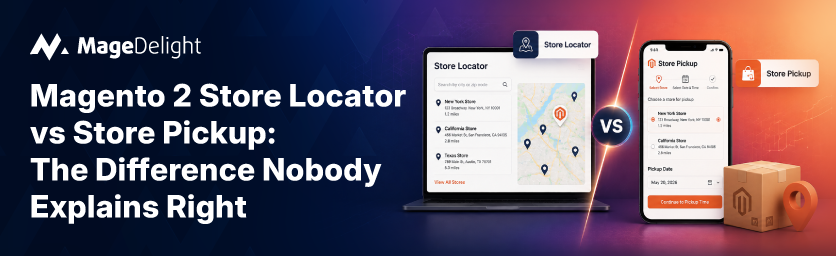
A store locator is a discovery tool. It shows customers where your physical stores are, usually on a map, with addresses, hours, and directions. Customers use it before they've decided to buy anything. They're figuring out if a store exists near them and whether it's worth the drive.
Store pickup is a checkout decision. It's a shipping method that lets a customer who has already filled their cart choose to collect the order in person instead of paying for delivery. By the time someone reaches this option, they've made the purchase decision. They just need to pick how the item gets to them.
Confusing the two leads to a common setup mistake: merchants install a locator extension, assume it also handles pickup logistics, and then wonder why customers can't select a pickup location at checkout. The two systems can share the same physical addresses, but they solve different problems at different points in the funnel.
Comparison Table
|
Feature |
Store Locator |
Store Pickup |
|
Purpose |
Help customers find a physical store |
Offer in-store collection as a delivery method |
|
Where it lives |
Dedicated page or navigation menu |
Checkout, shipping step |
|
Native to Magento 2? |
No, requires an extension |
Yes, part of core Inventory Management (MSI) |
|
Customer journey stage |
Browsing, pre-purchase |
Cart is full, ready to check out |
|
Setup effort |
Extension install plus map API key |
Admin configuration only |
|
Primary outcome |
Drives foot traffic |
Increases conversion, cuts shipping cost |
Do You Need Store Locator, Store Pickup, or Both?
If you run showrooms or a dealer network and don't sell directly online, a store locator on its own does the job. Customers need to find you, not check out with you.
If you already sell online and simply want to give customers an alternative to home delivery, store pickup alone covers it. Magento's native in-store pickup delivery method handles that without any extension.
Most retailers with more than one location end up needing both. A customer finds their nearest store through the locator, then selects that same store as their pickup point at checkout. Run them as two disconnected systems and you end up maintaining two separate address lists, which is exactly the kind of drift that causes a customer to drive to a store that no longer carries what they ordered.
How to Set Up Store Pickup in Magento 2 (Native Method)
Because in-store pickup lives inside Inventory Management, you configure it through sources rather than a dedicated pickup module. Here's the sequence.
Prerequisites
You need Magento 2.4.0 or later (Open Source or Adobe Commerce both qualify), at least one inventory source already created for each physical location, and admin access to Stores > Configuration.
Step 1: Mark a source as a pickup location
Go to Stores > Inventory > Sources, open the source for your physical store, and set “Use as Pickup Location” to Yes. Note that the Default Source cannot be used as a pickup location, so if you've only ever used the default warehouse source, you'll need to create a dedicated one for the storefront.
Step 2: Fill in the pickup location details
In the same source, expand the Pickup Location section and add the frontend name and description customers will see when selecting this store at checkout.
Step 3: Enable the delivery method
Go to Stores > Configuration > Sales > Delivery Methods > In-Store Pickup and set Enable to Yes.
Step 4: Configure the customer-facing settings
Set the title customers see (defaults to “In-Store Pickup Delivery”), the price if you're charging a pickup fee, and the search radius in kilometers that Magento uses to match customers to nearby pickup-eligible sources.
Step 5: Set the error message
Fill in the message that displays if in-store delivery becomes unavailable for a given cart or address, so customers aren't left staring at a blank shipping option.
Step 6: Test the checkout flow
Add a product assigned to a pickup-enabled source to the cart, go to checkout, and confirm the Pick In Store tab appears and pre-selects the closest eligible store based on the shipping address.
Once an order comes in, the admin can notify the customer that their order is ready using the same in-store pickup workflow, which triggers an automated email.
How to Set Up a Store Locator in Magento 2 (Extension Required)
Magento's core doesn't include a store finder, map display, or search-by-distance feature for storefronts. Every locator you see on a live Magento site is running on a third-party extension. That's not a knock on the platform. It's simply outside what core commerce software is built to do.
When evaluating an extension, look for a few things regardless of vendor: it should read from the same MSI sources you already use for inventory and pickup rather than maintaining a second address database, it needs Google Maps or an equivalent mapping service for the actual location display, and it should let customers filter by store name, city, zip code, or search radius.
MageDelight's Store Selector with Pickup, Locator & MSI extension is built specifically to close the gap this article opened with: instead of running a locator and a pickup module as two separate systems, it extends the same native MSI sources Magento already uses for in-store pickup, so a store you mark as a pickup location automatically shows up correctly on the front-end locator map too. It's Hyvä-ready and works across Magento Open Source and Adobe Commerce, 2.3.x through 2.4.x.
Once installed, the general configuration typically covers the locator page's title and URL, where the locator link appears in navigation, whether to enable “Get Directions” links, and whether to allow search by store name, address, city, or postal code with a reset option to clear filters and show every location again.
Connecting Store Pickup to Google Shopping and Local Inventory Ads
This is the step most Magento guides skip, and it's where the two systems actually meet. If you want Google to show “pickup today” or “pickup later” badges on your Shopping listings, Google has specific technical requirements your storefront has to meet first.
For pickup today, the product page or checkout flow must display the option to pick up an order, and you have to offer same-day or next-day pickup from the time the order is placed. Google recommends submitting the Pickup SLA attribute directly and treats the older pickup method attribute as optional now.
For the broader local inventory ads and free local listings program, Google lets retailers highlight store pickup options directly on ads, either through a same-day pickup today feature or a pickup later option tied to your in-store inventory data. There are also eligibility restrictions worth knowing before you invest time here: you need an actual brick-and-mortar location customers can visit, and stores requiring club or membership exclusivity aren't eligible.
Because Magento's native in-store pickup already displays the pickup option in the checkout flow, most stores meet the core landing-page requirement out of the box. The remaining work is usually the local inventory feed itself: store codes, per-location pricing, and availability data submitted to Merchant Center.
There's also a reason to get this right beyond ad eligibility. According to Think with Google's retail search data, shoppers already standing in a physical store are roughly four times more likely to search Google for that store's brand than for a competitor's, and in-store mobile search behavior has been climbing. A locator and pickup setup that's actually wired into Google Shopping captures that moment instead of losing the customer to a search results page.
If your checkout is already carrying a lot of steps before a customer reaches shipping method selection, it's worth auditing that flow separately. MageDelight's One Step Checkout extension consolidates the checkout into a single page, which keeps the in-store pickup selector visible earlier in the process instead of buried behind multiple steps.
Common Mistakes to Avoid
Merchants running store pickup without a locator often use a plain dropdown list of stores at checkout instead of a proximity search, which becomes unusable once you pass five or six locations. Pairing pickup with a proper locator, or at minimum a distance-based search, fixes this.
Another frequent issue is treating pickup readiness as a delivery estimate rather than a hard commitment. If Pickup Ready After X Days is left misconfigured, customers can select a pickup slot the store can't actually fulfill, which is the fastest way to generate support tickets and bad reviews.
Retailers going after Google's local inventory ads program sometimes stop at “enable in-store pickup in Magento” and assume that satisfies Google's requirements. It doesn't. Google evaluates the landing page and checkout experience directly, and mismatched in-store availability between your feed and your actual storefront will get flagged.
Finally, don't forget to keep pickup location details current. Store hours, holidays, and temporary closures need to stay accurate on both the locator and the pickup selector. MageDelight's Delivery Date extension can help enforce accurate scheduling windows if pickup and delivery dates are both live on the same store.
FAQs
Here are direct answers to the questions merchants ask most often when planning a store locator and pickup setup.
Is Store Pickup Available In Magento Open Source, Or Only Adobe Commerce?
Both. In-store pickup shipping has been part of core Inventory Management since Magento Open Source 2.4.0, and it works the same way in Adobe Commerce.
Do I Need A Paid Extension For Store Pickup?
No, the native In-Store Pickup delivery method is free and built in. Extensions become worth it when you need features the native method doesn't offer, such as time slot selection, delivery PIN verification, or a visual map-based locator.
Can Customers Pick Up From A Store Even If It Shows Out Of Stock For That Location?
It depends on your source setup. Magento can route a pickup order to a source outside the customer's chosen store if the item isn't locally available there, as long as that source is still configured as a pickup location.
What Does Google Require Before It Will Show Pickup Badges On My Shopping Ads?
Your product landing page or checkout must display the pickup option, and you need to meet Google's same-day or next-day pickup SLA requirements for the pickup today feature specifically.
Can I Run Store Pickup Without A Store Locator?
Yes. If you have a single location or only a handful of stores customers already know, a simple store selector without a full map-based locator is often enough.
Final Recommendation
If you're running a single store and just want customers to skip shipping costs, Magento's native in-store pickup is genuinely enough on its own. Configure the source, enable the delivery method, and you're done in an afternoon.
If you're running multiple locations and customers regularly ask “which of your stores is closest to me,” you need a locator, and building it on top of the same MSI sources you already use for pickup avoids the maintenance headache of two separate location databases. That's the specific gap MageDelight's Store Selector with Pickup, Locator & MSI extension is built to close.
And if Google Shopping is part of your acquisition strategy, treat the checkout requirement and the local inventory feed as one project, not two. Google's local inventory ads program rewards stores that already have working pickup, which means the setup work in this guide pays off twice: once at your own checkout, and again in the Shopping results customers see before they ever land on your site.
Need help wiring this up on your own store? MageDelight's Magento development service can handle the source configuration, extension setup, and Google Shopping feed work end to end.
