


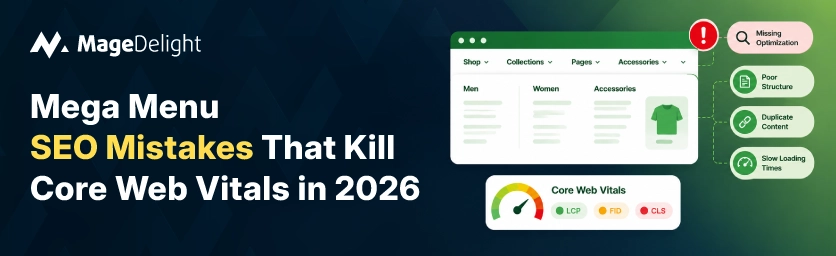
Roughly half of all websites fail Google's Core Web Vitals assessment, and the mega menu is one of the most overlooked reasons why. It's the one component loaded on every single page of your store, holding category hierarchies, images, and promotional blocks, which makes it a disproportionately large contributor to LCP, CLS, and INP scores if it's built wrong. Navigation design has a direct, measurable impact on technical SEO that most ecommerce audits still don't check carefully.
The mistakes below aren't theoretical. Each one shows up repeatedly in real Search Console reports and Lighthouse audits, and each maps to a specific, fixable cause rather than a vague "make it faster" recommendation.
The Mistake-to-Metric Map
|
Mistake |
Metric It Breaks |
Why It Happens |
|
Links only render on hover/click via JS |
Crawlability, internal linking, indexation |
Googlebot doesn't hover; onClick handlers with no href are invisible |
|
Menu HTML/images load synchronously |
LCP |
Large blocking payload delays above-the-fold rendering |
|
Menu renders after page, shifting layout |
CLS |
Space isn't reserved before the menu's real dimensions load |
|
Hover/open response feels laggy |
INP |
Heavy JS framework blocks the main thread during interaction |
|
Menu images not lazy-loaded correctly |
LCP, page weight |
Every category thumbnail loads even when off-screen |
|
Only tested with Lighthouse, never field data |
All three (undetected) |
Lab tests run on fixed hardware; real users are on mid-range mobile |
Mistake 1: JavaScript-Only Links Googlebot Can't Follow
This mistake has a real cost. It does more than just lower a performance score; it can quietly delete entire parts of your catalog from Google's index. A mega menu that relies on onClick handlers, data-href attributes, or links that appear in the DOM only after a hover event is invisible to a crawler that does not hover and does not reliably run every script. Googlebot processes pages in two waves: first it reads the HTML, then it renders JavaScript. If the internal links appear after that second wave, they may be found late or not at all.
The practical consequence is that category pages that rely on mega menu links for internal linking become orphan pages in Google's view. They remain indexed if they appear in your sitemap. They lose the site‑structure context and link equity that a well‑built navigation tree offers.
• Test it yourself: right‑click any page and select "View Page Source" (not Inspect, which displays the post‑JavaScript DOM). Then search for your mega menu’s link text.
• The fix: every navigational link must have a <a> tag with a real href attribute in the initial HTML. JavaScript can be layered on top for animation and interaction. It should not replace the link itself.
• Confirm with Search Console's URL Inspection tool, running a Live Test and checking which outgoing links Google actually discovered in the rendered HTML.
Mistake 2: Synchronous Loading That Delays LCP
If your mega menu loads a large block of HTML and images synchronously, before the browser can render your page's main content, it directly delays Largest Contentful Paint, one of Google's three confirmed ranking signals. This is especially common on menus with category thumbnails: every image loads immediately regardless of whether the menu is even open.
• Navigation assets, especially category images inside the mega menu, should load asynchronously and lazily, deferred until the menu is actually opened or close to being visible.
• Never lazy-load your actual LCP element, though. If your hero image or main banner is what Google is measuring for LCP, deferring it will make this specific metric worse, not better. Lazy loading belongs on the menu's off-screen images, not your page's primary content.
Mistake 3: Menus That Shift Layout After Load
Cumulative Layout Shift measures visual stability, and a mega menu that renders at the wrong size and then resizes once its real content loads is a common, entirely avoidable source of CLS penalties. This happens most often when a menu's height or width depends on dynamically loaded content, category counts, or promotional banners that aren't known until after the initial render.
• Reserve the menu's correct dimensions in the initial HTML/CSS, so nothing shifts once the real content populates.
• CLS is often the cheapest of the three Core Web Vitals to fix and the most viscerally frustrating for users, since it's the metric behind the classic "I was about to click, and the page jumped" complaint.
Mistake 4: Sluggish Hover and Click Response
Interaction to Next Paint replaced First Input Delay as a Core Web Vital in March 2024. Unlike FID, it measures the responsiveness of every interaction throughout the full page lifecycle, not the first one. A mega menu that feels laggy to open, where hover states delay or clicks do not register instantly, is exactly the type of interaction INP was made to detect. The target threshold is 200 milliseconds or less. Heavier JavaScript frameworks that block the thread during a hover event often exceed that threshold.
• Long JavaScript tasks over 50 milliseconds are the usual culprit, blocking the main thread and delaying the browser's response to a shopper's hover or click.
• A lighter interactivity framework driving the menu measurably reduces this; the difference between a heavy binding framework and a minimal reactive one shows up directly in INP scores.
Mistake 5: Trusting Lab Scores Over Real User Data
A Lighthouse score of 95 on your own machine means very little if Search Console is reporting Core Web Vitals failures, and this gap is one of the most common blind spots in mega menu audits specifically. Lighthouse simulates a device on a fixed connection. Google's ranking signal comes from the Chrome User Experience Report, which uses data from real users on real devices, mostly mobile on real (often slow) networks. A mega menu that appears instant in a desktop Lighthouse run can still be the element on the page for a shopper using a mid‑range Android phone on 4G.
Validate every lab-based improvement against CrUX field data in Search Console before declaring a fix successful.
• Test specifically on simulated 3G/4G connections and real mid-range devices, not just your development machine on office WiFi.
• Set up ongoing monitoring rather than a one-time audit; performance regressions happen constantly as new features, third-party scripts, and content get added, and a mega menu is exactly the kind of shared component where one bad update degrades every page at once.
A Practical Mega Menu Audit Checklist
✗ Links only appear after hover, click, or JavaScript execution, with no href in the raw HTML
✗ Category images inside the menu load synchronously regardless of whether the menu is open
✗ Menu dimensions aren't reserved before dynamic content loads, causing layout shift
✗ Hover or click response feels delayed, especially on mobile
✗ Performance has only ever been tested with Lighthouse on desktop, never against Search Console field data
✓ Every navigational link is a real anchor tag with a real href, present in the server-rendered HTML
✓ Menu images are lazy-loaded, except for anything that also happens to be your page's actual LCP element
✓ Menu HTML renders at its correct final size from first paint, with no dimension changes after load
✓ Hover and click interactions consistently respond under 200ms, tested on real mid-range mobile hardware
✓ Core Web Vitals are monitored continuously against CrUX field data, not just checked once after a redesign
Measuring Whether Your Fixes Actually Worked
Fixing the technical issues above is only half the job. Without a way to see how navigation changes affect user behavior, such as bounce rate on category pages, engagement after a menu redesign, or whether shoppers who click through the mega menu convert at a different rate, you are optimizing blind. Core Web Vitals tell you the page is faster. They do not reveal whether that speed translates into more category page views or completed checkouts.
This is where event‑level analytics closes the loop. MageDelight’s GA4 Pro with GTM Support extension tracks product impressions, navigation clicks, and the full checkout funnel directly from Magento. It uses a single‑code GTM integration of a manual data‑layer build that usually takes a developer two to five days to configure correctly. Pairing a Core Web fix with real GA4 event data is how you confirm the mega menu changes you made actually moved engagement and revenue, not just a Lighthouse number.
Treat the Menu as a Shared Component, Not a One-Time Fix
A mega menu problem rarely stays contained to the menu. Because it loads on every page, a crawlability gap, a layout shift, or a sluggish interaction compounds across the site rather than affecting a single URL.
The fixes above are specific and testable. They are only durable if you monitor field data continuously instead of treating a Lighthouse audit as a one‑time checkbox.
Once the technical fixes are in place, close the loop with engagement data. MageDelight’s GA4 Pro with GTM Support extension is a way to see whether your navigation changes are actually moving the numbers that matter.
Frequently Asked Questions
Can Google crawl a mega menu built with nested <ul> and <a> tags?
Yes, without issue. Google has crawled JavaScript‑driven navigation for over a decade. A mega menu built with nested unordered lists containing real anchor elements is the safest, most universally crawlable pattern. It is readable by every search engine and AI crawler, not Google's rendering pipeline.
Does hiding mega menu items with CSS hurt crawlability?
No long as the links exist in the HTML. Google fully expects that navigation dropdowns are visually hidden until a hover or click event. CSS‑based show/hide does not remove the underlying href from the document. The problem only arises when the links themselves do not exist in the HTML until after a JavaScript event fires.
Which Core Web Vital should I fix first if my mega menu fails all three?
2026 guidance recommends starting with LCP because it fails most often on mobile and correlates most directly with conversion rate. Next, fix INP and CLS. That said, CLS is frequently the cheapest and fastest of the three to resolve. If you need a visible win, start there.
How do I know if my mega menu is actually hurting rankings, not just my Lighthouse score?
Check Google Search Console’s Core Web Vitals report, which uses real user field data rather than a lab simulation. If your Lighthouse score looks fine but Search Console flags issues, the gap usually comes from users on slower devices or connections than your test environment used.
