


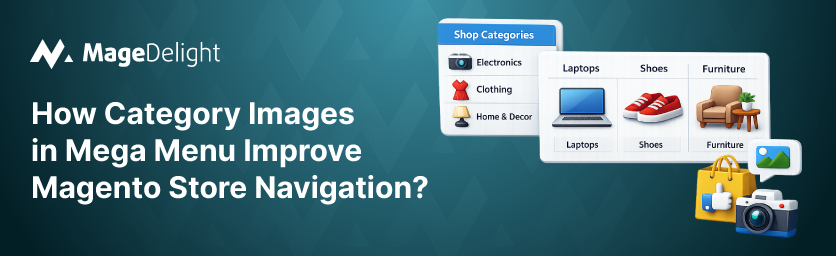
Magento’s default navigation relies entirely on text-based category links. While this works for small catalogs, it becomes difficult for shoppers to quickly understand categories as stores grow. Adding category images inside a mega menu helps Magento stores visually guide customers, making navigation clearer and product discovery faster.
Most Magento store owners focus heavily on product pages, pricing, and promotions—but navigation is often treated as a “set it once and forget it” element. The reality is very different.
When users land on an ecommerce store, they don’t patiently read through every category name. They scan quickly, looking for visual cues that tell them where to go next. If your navigation is nothing more than a long list of text links, you’re forcing customers to think harder than they should.
Magento’s default menu works reasonably well for very small catalogs. But as soon as a store grows beyond a few categories, text-only navigation starts to become a real usability problem.
The Problem: Text-Only Menus Slow Down Decision-Making
Out of the box, Magento’s navigation is extremely limited. It supports only:
- Plain text category names
- Basic parent–child category hierarchy
- No visual elements to guide user attention
At first glance, this might seem sufficient. But in real-world stores, it leads to several practical issues:
- Shoppers struggle to understand what a category actually contains
- Categories with similar names feel interchangeable
- Users have to click multiple times just to “figure things out”
Over time, this creates friction. Instead of smoothly guiding users toward products, the menu becomes a guessing game.
Magento also does not provide any native way to add:
- Category images inside dropdowns
- Visual grouping of related categories
- Product or collection previews in navigation
To achieve this, most merchants are forced into custom front-end development, which is:
- Expensive to build
- Time-consuming to test
- Hard to maintain during theme upgrades
Use Case: A Fashion Store With Style-Based Categories
Consider a mid-sized fashion brand selling multiple clothing styles. Their main menu included categories such as:
- Casual Wear
- Ethnic Wear
- Party Collections
- Seasonal Edits
On paper, this looked organized. But in practice, customers frequently clicked the wrong category.
For example, Ethnic Wear could include:
- Sarees
- Kurtas
- Festive co-ord sets
New visitors had no way of knowing this without clicking into the category. As a result:
- Users jumped back and forth between categories
- Session time increased without meaningful engagement
- Bounce rates climbed, especially on mobile
The store wasn’t lacking products—it was lacking clarity at the navigation level.
How MageDelight Mega Menu Extension Helps?
MageDelight’s Mega Menu addresses this problem by introducing visual navigation, not just structured navigation.
With the Category Images feature, store owners can:
- Add relevant images directly inside menu dropdowns
- Display categories in clean, multi-column layouts
- Visually communicate what each category represents
Instead of reading and guessing, shoppers can recognize categories instantly. A single image communicates more than a label ever could.
This small change fundamentally alters how users interact with the menu:
- Navigation feels intuitive rather than overwhelming
- Users make faster decisions
- Fewer wrong clicks mean a smoother browsing journey
Business Impact
The impact of visual navigation goes beyond aesthetics. When category images are added to the mega menu, navigation becomes clearer, faster, and more purposeful. Instead of scanning long lists of text, shoppers immediately recognize where they need to go. This reduces hesitation, improves browsing flow, and ultimately supports better store performance.
For Magento stores with growing catalogs, even small navigation improvements can make a noticeable difference in how quickly users discover products and move toward purchase.
Faster go-to-market:
With MageDelight Mega Menu, store owners can introduce visual navigation without investing in custom front-end development. Instead of building complex dropdown layouts manually, category images can be configured directly from the admin panel. This means:
- Navigation improvements can be launched quickly
- No dependency on developers for UI customization
- Faster implementation when launching new collections or categories
As a result, merchants can keep their navigation updated and aligned with merchandising strategies without slowing down deployment cycles.
Cost savings:
Creating custom visual menus typically requires a mix of HTML, CSS, JavaScript, and theme-level changes. These custom implementations often become difficult to maintain, especially when stores upgrade themes or Magento versions.
Using a structured mega menu solution eliminates that overhead. Store owners can:
- Avoid costly custom UI development
- Reduce ongoing maintenance and troubleshooting
- Keep navigation consistent even during store upgrades
This makes the feature not only useful from a design standpoint but also practical from a long-term operational perspective.
Better user experience:
From the shopper’s perspective, visual navigation removes uncertainty. Instead of guessing what a category contains based only on its name, users can quickly recognize the right section through imagery.
This leads to several usability improvements:
- Faster product discovery for first-time visitors
- Fewer incorrect clicks and backtracking between categories
- More intuitive browsing, especially for large catalogs
When users feel confident about where a category will lead them, they are more likely to continue exploring the store. Over time, this smoother browsing experience contributes to longer sessions, deeper engagement, and a stronger path toward conversion.
In essence, adding category images transforms the menu from a simple navigation list into a guided shopping experience—something Magento’s default navigation isn’t built to deliver.
Demo Link:
Here is the Storefront Demo and Admin Panel.
Purchase link:
Here is the link to buy our Mega Menu Pro for Magento 2.
Contact Us:
You can reach out to us if you have any query about to extension here: Contact Us.
