


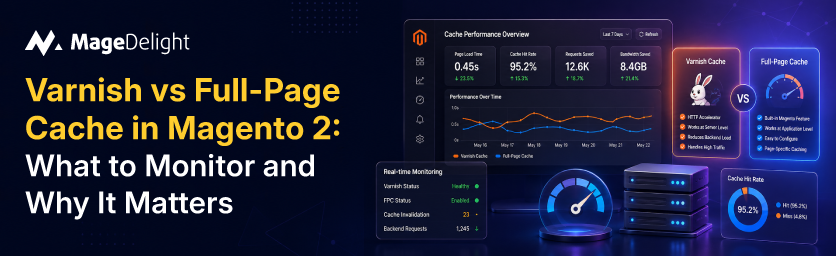
A 100-millisecond delay in page load time can cut conversion rates by 7%, according to Akamai's State of Online Retail Performance report, which analyzed approximately 10 billion user visits across leading retail websites. For a Magento 2 store doing $500 a day, that is nearly $13,000 in annual revenue lost to latency that a properly configured cache layer could eliminate entirely.
Magento 2 ships with two approaches to full-page caching: a built-in file-based backend and Varnish, the HTTP reverse proxy. Most production guides stop at "enable Varnish, and you're done." They skip the part that actually keeps revenue from leaking: ongoing monitoring. A cache that worked last Tuesday can silently degrade today due to a new extension, a bulk product import, or a VCL limit breach. The numbers stop showing up in your hit rate before they show up in your bounce rate.
This guide covers what each caching layer actually does, the specific metrics you must track in production, the thresholds that signal a real problem, and the diagnostic steps to fix the most common cache killers in Magento 2. It draws on official Adobe Commerce documentation, Varnish Software's own monitoring guides, and production-tested benchmarks.
The Two FPC Backends: What They Are and How They Differ
Magento 2 routes every front-end page request through its Full Page Cache (FPC) module. The module checks whether a valid cached copy of the requested page already exists. If it does, it returns that copy without executing PHP, querying MySQL, or rendering any templates. The speed gain is enormous: a page that takes 2 to 5 seconds to generate from scratch arrives in milliseconds from cache.
The FPC module supports two storage backends, configurable at Stores > Configuration > Advanced > System > Full Page Cache.
Built-In File-Based FPC
The default backend writes rendered HTML pages to the file system, specifically to the var/page_cache directory. Magento reads them back on subsequent requests. It requires zero external dependencies and is usable out of the box in development and staging environments.
The problem in production is disk I/O. Serving a cached page from disk on a loaded server averages 50ms to 200ms for Time to First Byte (TTFB). Under concurrent traffic, disk read latency compounds. A benchmark published on createhosting.co.nz, conducted with Siege load testing on a 2GB VPS, recorded an average TTFB of 2.34 seconds with the built-in file cache. That is not a cached page; that is a PHP application in slow motion.
Adobe's official documentation states plainly: "The built-in full-page caching (to either the file system or database) is much slower than Varnish, and Varnish is designed to accelerate HTTP traffic." Use the built-in backend in development. Never in production.
Varnish: HTTP Accelerator as FPC Backend
Varnish is an HTTP reverse proxy purpose-built for caching. It stores rendered pages in RAM and serves them directly to the browser, bypassing Nginx, PHP-FPM, and MySQL entirely. Adobe officially recommends Varnish for all production Commerce deployments. Magento 2.4.8 supports Varnish 7.6.
With Varnish in front, TTFB on a cached page is typically 5ms to 50ms. A technical analysis published in May 2025 on x2y.dev found that Varnish outperforms Redis-backed FPC by approximately 3x and file-based caching by approximately 4x under HTTP/2 conditions, because Varnish adds zero PHP overhead to cached responses.
When configured correctly, Magento sends Varnish a PURGE request whenever content changes (a product is saved, a CMS block is updated, a price changes). Varnish removes only the affected cached pages, not the entire cache, through a tag-based invalidation system built on X-Magento-Tags headers.
Varnish vs Built-In FPC: At a Glance
|
Dimension |
Built-In File FPC |
Varnish |
|
Storage |
Disk (var/page_cache) |
RAM |
|
Typical TTFB (cached) |
50ms to 200ms |
5ms to 50ms |
|
Concurrent load handling |
Poor (disk I/O bottleneck) |
Excellent (RAM + no PHP) |
|
PHP layer bypassed? |
No (PHP still validates) |
Yes (fully bypassed) |
|
Setup complexity |
Zero (built-in) |
Moderate (VCL + port config) |
|
ESI block support |
No |
Yes (ttl attribute in layout XML) |
|
Tag-based invalidation |
Partial (within Magento) |
Full (X-Magento-Tags PURGE) |
|
HTTP/3 support |
Via web server |
Requires Nginx/Caddy frontend |
|
Recommended for |
Dev / staging / under 10k daily visits |
All production stores |
The Metrics That Actually Matter
Configuring Varnish is the beginning. Monitoring it is the job. A misconfigured extension introduced in last week's deploy, a flash sale causing a cache-flush storm, or a growing catalog pushing category tag headers past the 8kB Varnish limit can all degrade cache performance without triggering any obvious application error. The only early warning system is metrics.
1. Cache Hit Rate: The Single Most Important Number
The cache hit rate is the ratio of cache hits to total cache lookups. From Datadog's Varnish monitoring guide (one of the most comprehensive public references on varnishstat metrics): Hit Rate = MAIN.cache_hit / (MAIN.cache_hit + MAIN.cache_miss)
You retrieve these values from varnishstat on the command line:
| varnishstat -1 | grep MAIN.cache |
What does a healthy hit rate look like in a Magento context? According to Sonassi, a Magento hosting and performance specialist, a production target of 94% is realistic: this accounts for approximately 3% of traffic converting (add-to-cart and checkout pages bypass FPC by design) and approximately 50% checkout funnel loss on those converted sessions.
The general production floor is 85%. Below that, investigate immediately. A hit rate under 70% usually indicates a systemic problem: a third-party extension injecting a cacheable="false" block globally, excessive manual cache flushes, or an overly short TTL.
Alert thresholds:
- Above 90%: healthy
- 80% to 90%: investigate, likely a specific route or extension is the culprit
- Below 80%: critical, revenue impact probable
- Below 70%: systemic failure, roll back recent deploys first
2. Cache Miss Rate and Grace Hits
A cache miss (MAIN.cache_miss) means Varnish had to fetch the page from Magento's PHP backend. Every miss adds backend load. Under high concurrent traffic, a spike in miss rate can cascade into PHP-FPM queue exhaustion.
Grace hits (MAIN.cache_hit_grace) occur when Varnish serves a stale cached copy while it fetches a fresh version from the backend. This is configured via the grace period setting in Varnish (the default is 300 seconds in Magento's exported VCL). Grace hits are not failures: they protect users from seeing slow pages during cache warming after a flush. A high grace hit count following a scheduled flush is expected. A sustained high grace hit count at steady state suggests your TTL is too short relative to your traffic volume.
3. TTFB: The User-Facing Signal
TTFB is the most direct measure of cache effectiveness for end users. Adobe's official verification guide states: "If Varnish is working, any Commerce page with cacheable blocks should load in less than 150ms." Front door and category pages are cited explicitly.
The X-Magento-Cache-Debug response header is your quick check. In developer mode, a HIT returns this header with the value HIT. A MISS means the request reached the PHP application. You can check this from the command line:
| curl -sI https://yourstore.com/ | grep X-Magento-Cache |
Monitor TTFB at the 95th and 99th percentile, not just the average. An average of 80ms looks healthy but can hide a 2-second TTFB tail that affects 5% of your traffic. Tools like New Relic, Datadog, or even a basic synthetic monitoring setup using curl can alert on TTFB breaches.
4. LRU Evictions: Memory Pressure
When Varnish's allocated storage fills up, it evicts objects using a Least Recently Used (LRU) policy. The Varnish Software blog identifies MAIN.n_lru_nuked in varnishstat as the eviction counter. If this number is rising, Varnish is discarding cached pages to make room for new ones, which directly increases miss rate.
The default Varnish memory allocation is 256MB. For any Magento store with more than a few thousand pages, this is insufficient. A store with 10,000+ SKUs across multiple store views and customer groups can easily require 1GB to 4GB of Varnish storage. Each store view and customer group combination generates a separate cache entry per page.
Check your current eviction rate:
| varnishstat -1 | grep n_lru_nuked |
Any non-zero and rising value during normal traffic means your cache storage is undersized. Increase the malloc allocation in your Varnish startup configuration.
5. Backend Connections and Error Rates
MAIN.backend_conn counts successful connections from Varnish to the Magento backend. MAIN.backend_fail counts failed ones. Under ideal conditions, backend connections are rare: they happen only on cache misses and ESI sub-requests. If backend_conn is growing linearly with traffic, your hit rate is lower than it should be.
Backend failures (backend_fail) are urgent. A failed backend connection means Varnish could not reach Magento. If grace mode is configured (it is, in Magento's default VCL), Varnish will serve stale content rather than returning a 503. This is usually desirable during maintenance windows, but it should alert you: something is wrong with the application server.
6. Invalidation Monitoring: PURGE Request Volume
Magento sends a PURGE request to Varnish whenever a cached entity changes. TheCacheInvalidate module constructs these requests with an X-Magento-Tags-Pattern header that tells Varnish which tag pattern to ban from its cache. For example, saving product ID 42 sends a ban on the pattern cat_p_42.
You can observe these in real time using varnishlog:
| varnishlog -g request -q 'ReqMethod eq "PURGE"' |
An excessive PURGE volume (a "purge storm") is a real problem. It occurs during bulk imports, reindexing operations, or when a poorly written observer fires on every request. Each PURGE request triggers a Varnish ban list scan, which consumes CPU proportional to the number of cached objects. A large ban list during high traffic is a known Magento performance issue.
Monitor the rate of PURGE requests per minute. A sustained rate of more than a few hundred per minute outside of a known import operation warrants investigation in the Magento admin event log and CacheInvalidate module observers.
The Silent Cache Killers in Magento 2
Most Magento cache problems are not configuration failures. They are application-level issues introduced by third-party extensions or custom code that interacts incorrectly with the FPC system. These are the four most common ones.
1. The cacheable="false" Trap
This is the single most destructive thing an extension can do to your cache performance, and it happens silently. As confirmed in a GitHub issue on the Magento 2 core repository and in the Adobe Developer documentation for the PageCache module: if any single block on a page layout has the attribute cacheable="false", FPC is disabled for the entire page.
A developer setting cacheable="false" on a store locator link block, for instance, disables caching for every page that block appears on. If that block is in the global header layout, it disables FPC for the entire storefront. Every page load goes back to PHP.
To diagnose: check the X-Magento-Cache-Debug header on key pages. If you see MISS consistently on pages that should be cached, enable Magento's developer mode temporarily and review your layout XML files for cacheable="false" entries. The correct fix is to use private content (AJAX-loaded blocks using the CustomerData section mechanism) or ESI blocks with a ttl attribute when on Varnish.
2. X-Magento-Tags Header Size Limit
Categories tag their cached pages with the IDs of every product they contain, so Varnish knows which pages to purge when a product changes. A category with 2,000 products generates an X-Magento-Tags header approximately 20kB in size, according to research published in the trive-digital/magento2-varnish-fixes repository on GitHub. Varnish's default http_resp_hdr_len limit is 8kB. When that header exceeds the limit, Varnish returns a 503 error.
This error is particularly dangerous because it only manifests on large category pages under Varnish, not in the built-in FPC, and does not appear in Magento's own logs. Customers see a generic server error on your most important category pages.
The fix has two parts: increase http_resp_hdr_len in your Varnish configuration (to 64kB or higher for large catalogs), and add the std.collect() call to your VCL's vcl_backend_response subroutine to merge duplicate X-Magento-Tags headers. Also verify that your Nginx or Apache upstream header limits are aligned.
3. Excessive Cache Flushes
A full cache flush (bin/magento cache:flush full_page) removes every cached page from Varnish simultaneously. Every subsequent request until the cache warms up again hits PHP directly. On a store with 50,000+ cached pages and meaningful traffic, this can spike server CPU and PHP-FPM queue depth to failure within seconds of the flush.
The most common source of unintentional full flushes is Magento admin actions that Magento considers cache-invalidating events: configuration saves, reindexing, and some third-party extension saves. Review the Admin Action Log (in Adobe Commerce) or implement logging around the cache:flush command to identify sources.
A better approach for large stores is scheduled, rolling cache invalidation: use the cache:clean command against specific cache types rather than cache:flush against everything, and schedule it during off-peak hours.
4. ESI and HTTPS: A Known Limitation
Edge Side Includes (ESI) allow Varnish to fetch individual dynamic blocks (cart totals, customer greetings, recently viewed products) as separate sub-requests, so the rest of the page remains fully cached. ESI blocks are configured with a ttl attribute in Magento's layout XML. However, as documented by mgt-commerce.com: Varnish does not support ESI over HTTPS.
Magento's ProcessLayoutRenderElement downgrades HTTPS URLs to HTTP when generating ESI tags. This makes native ESI impractical on most modern HTTPS-only stores without additional reverse proxy configuration. The practical alternative for dynamic blocks is Magento's private content system, which loads personalized data via AJAX after the cached page renders in the browser. This approach keeps pages fully cacheable in Varnish while still serving dynamic customer-specific content.
Monitoring Tools and How to Use Them
Here are the monitoring tools you need to use.
varnishstat: Your Primary Instrument
varnishstat is Varnish's built-in statistics tool. Run it live with varnishstat for a continuously updating dashboard, or with the -1 flag for a one-time snapshot. It provides cache hit/miss counts, thread pool statistics, backend connection status, LRU eviction counts, and memory usage. Varnishstat reports three hit rate averages: over the last 10 seconds, 100 seconds, and 1000 seconds.
For production monitoring, export varnishstat metrics to a time-series system (Datadog, Prometheus with a Varnish exporter, or Grafana) so you can see trends over time and set alerts. Spot-checking varnishstat manually is fine for debugging but misses transient spikes.
varnishlog: Request-Level Debugging
varnishlog streams the full request log from Varnish's shared memory. It is too verbose for continuous monitoring but indispensable for debugging specific pages. Filter by URL or client IP to investigate why a particular page is always a miss:
| varnishlog -g request -q 'ReqURL ~ "/catalog/product/view"' |
Response Headers: The Fastest Debug Check
The X-Magento-Cache-Debug header is your fastest indicator of FPC status. HIT means Varnish served the page from cache. MISS means PHP generated it. On a properly functioning store, category pages, product pages, and CMS pages should all return HIT on second load.
Additional headers to check: X-Varnish (present if Varnish is in the request path), X-Cache-Hits (increments on successive hits to the same cached object), and Age (seconds the cached object has been stored). An Age of 0 on every page load means every request is a miss.
Magento Admin: Cache Management
The Magento admin panel at System > Cache Management shows which cache types are enabled. Ensure full_page is always enabled in production. Invalidated status (yellow) means Magento has flagged the cache as stale but has not flushed it yet. Varnish will still serve cached pages until a PURGE request arrives. You can also integrate New Relic APM with Magento via the MageDelight performance optimization guide to track TTFB regressions caused by extension updates or code deploys.
Built-In FPC Monitoring (When You're Not on Varnish)
If your store uses the built-in file-based FPC (common on shared hosting or low-traffic staging environments), the monitoring approach differs. There is no varnishstat equivalent.
Your primary signals are:
- X-Magento-Cache-Debug headers: same HIT/MISS logic as Varnish
- TTFB: should be under 500ms for a cached page on the built-in backend; over 1 second signals a cache problem or server resource issue
- var/page_cache directory size and file count: rapid growth means the cache is filling without being invalidated; an empty directory after browsing cacheable pages means caching is disabled
- PHP-FPM process count and queue depth: if all PHP workers are busy serving cached pages, the built-in FPC is not working
The built-in FPC is controlled by the same cacheable="false" rule as Varnish. A single misconfigured block disables caching for the entire page. The diagnostic process is identical: check the debug header, switch to developer mode, and audit layout XML files.
For low-to-medium-traffic stores that are not ready to introduce Varnish, a detailed understanding of Magento's cache types and their proper management is covered in the MageDelight Magento 2 Cache Management guide. It covers all 17 cache types, their invalidation triggers, and when to flush versus clean.
Decision Framework: Monitoring by Store Profile
Not every Magento store needs the same level of monitoring. The correct setup depends on traffic, catalog size, and deployment complexity.
Low-Traffic Store (under 10,000 daily visits, under 5,000 SKUs)
Use built-in FPC. Monitor: X-Magento-Cache-Debug headers on key pages once per deploy. Alert on TTFB exceeding 1 second on category and product pages. Flush var/page_cache weekly or after major configuration changes. The performance headroom is sufficient; Varnish adds operational complexity that is not yet justified.
Mid-Traffic Store (10,000 to 100,000 daily visits)
Varnish is required at this traffic level. Monitor: daily varnishstat snapshot for hit rate (alert below 85%), TTFB from a synthetic monitor on your top five landing pages (alert above 200ms), and n_lru_nuked counter after any significant catalog change. Verify that no deploy has introduced cacheable="false" globally by checking hit rate for 30 minutes after each deploy.
High-Traffic Store (over 100,000 daily visits, flash sales, large catalog)
Full observability stack. Varnish metrics exported to Datadog or Prometheus with alerts on hit rate, backend_fail, and n_lru_nuked. Synthetic monitoring at 1-minute intervals on homepage, top category, and top product pages. PURGE request rate monitored to catch ban storms before they saturate the Varnish ban list. Pre-warm cache after any planned flush using a cache-warming script. Varnish storage should be reviewed quarterly against catalog growth; reallocate if n_lru_nuked is non-zero during steady-state traffic.
If your store has reached a complexity level where third-party extensions are the primary source of cache regressions, a professional Magento Performance Audit from MageDelight can identify the exact modules degrading your hit rate, profile PHP execution, and deliver a prioritized fix list. Profiling tools like Blackfire.io or New Relic APM pinpoint which observers and layout XML changes are costing you the most.
Frequently Asked Questions
Here are the FAQs to help you quickly understand.
1. What is a Good Varnish Cache Hit Rate for Magento 2?
A production hit rate above 90% is the target. Experienced Magento hosting engineers typically aim for 94%, leaving room for the checkout funnel (which bypasses FPC by design) and authenticated customer sessions. Below 80% is a red flag. Below 70% is a production emergency.
2. How Do I Check if Varnish is Actually Caching My Magento Pages?
Run: curl -sI https://yourstore.com/ | grep X-Magento-Cache-Debug in a terminal. A result of HIT means Varnish served the page from cache. A result of MISS means it went through PHP. If you see no X-Magento-Cache-Debug header at all, Varnish may not be in the request path (check that it is listening on port 80 and that Magento's caching application is set to Varnish in the admin).
3. Why is My Magento Store Still Slow Even With Varnish Enabled?
The most common causes are: a cacheable="false" block disabling FPC for affected pages (check the debug header per-page), Varnish not actually being in the traffic path (see above), undersized Varnish storage causing LRU evictions, a third-party extension generating excessive PURGE requests, or authenticated customer sessions bypassing Varnish (expected: Varnish does not cache logged-in sessions by default).
4. What is the X-magento-tags Header and Why Does It Cause 503 Errors?
X-Magento-Tags is an HTTP response header that Magento sends to Varnish listing all cache tags for a given page. Varnish uses these tags to know which pages to invalidate when content changes. For large categories with thousands of products, this header can exceed 8kB, which is Varnish's default response header size limit. When it does, Varnish returns a 503 error. The fix is to increase http_resp_hdr_len in your Varnish configuration and add std.collect() to your VCL.
5. Should I Use Varnish or Fastly for Adobe Commerce on Cloud?
Adobe Commerce Cloud uses Fastly as its CDN and FPC layer rather than self-managed Varnish. Fastly uses Varnish-based VCL under the hood, so the monitoring concepts (hit rate, TTFB, tag-based invalidation) are identical, but the tooling is the Fastly dashboard rather than varnishstat. If you are on a self-hosted or PaaS environment, self-managed Varnish remains the standard. See Adobe's caching overview documentation for details on backend options.
The Bottom Line
Varnish is not optional for production Magento 2 stores. The built-in file-based FPC is a development tool; it cannot handle real concurrent traffic without degrading to PHP-application speeds. With Varnish configured correctly, cached pages arrive in under 50ms. That directly affects conversion: the Akamai research data is clear that 100ms of additional latency costs 7% of conversions.
But configuration is not enough. Cache hit rate, TTFB at the 95th percentile, LRU eviction count, and PURGE request volume need to be tracked continuously in production. The silent killers (cacheable="false" blocks, oversized tag headers, and ban storms) do not throw errors; they just quietly push traffic back through PHP until your server struggles.
Set up varnishstat export to a monitoring platform, confirm your hit rate after every deploy, check your X-Magento-Cache-Debug headers on your top landing pages weekly, and size your Varnish storage to your actual catalog. Need a thorough review of your Magento 2 performance stack? MageDelight's Magento audit service covers caching architecture, extension profiling, and Core Web Vitals from a single engagement.
