


Speed is the one Magento problem that compounds. A slow page is a slow page on day one. But as your catalog grows, extensions accumulate, and your database fills with abandoned quotes and session logs, the degradation gets worse - often without anyone noticing until a developer runs a PageSpeed audit and finds a 6-second LCP.
This guide is a working checklist organized the way the work should actually be done: infrastructure first, caching next, then frontend, database, extensions, and finally Core Web Vitals. Skipping to the frontend while your server is misconfigured is wasted effort. The order matters.
The data here is sourced from Google's own case study repository and official Magento 2.4.8 release documentation - not roundup posts that copy each other.
Before You Touch Anything: Get a Baseline
The number that will matter to your team is the before/after delta, not the absolute score. You need to capture it before making changes.
Four tools are worth using here:
1. Google PageSpeed Insights
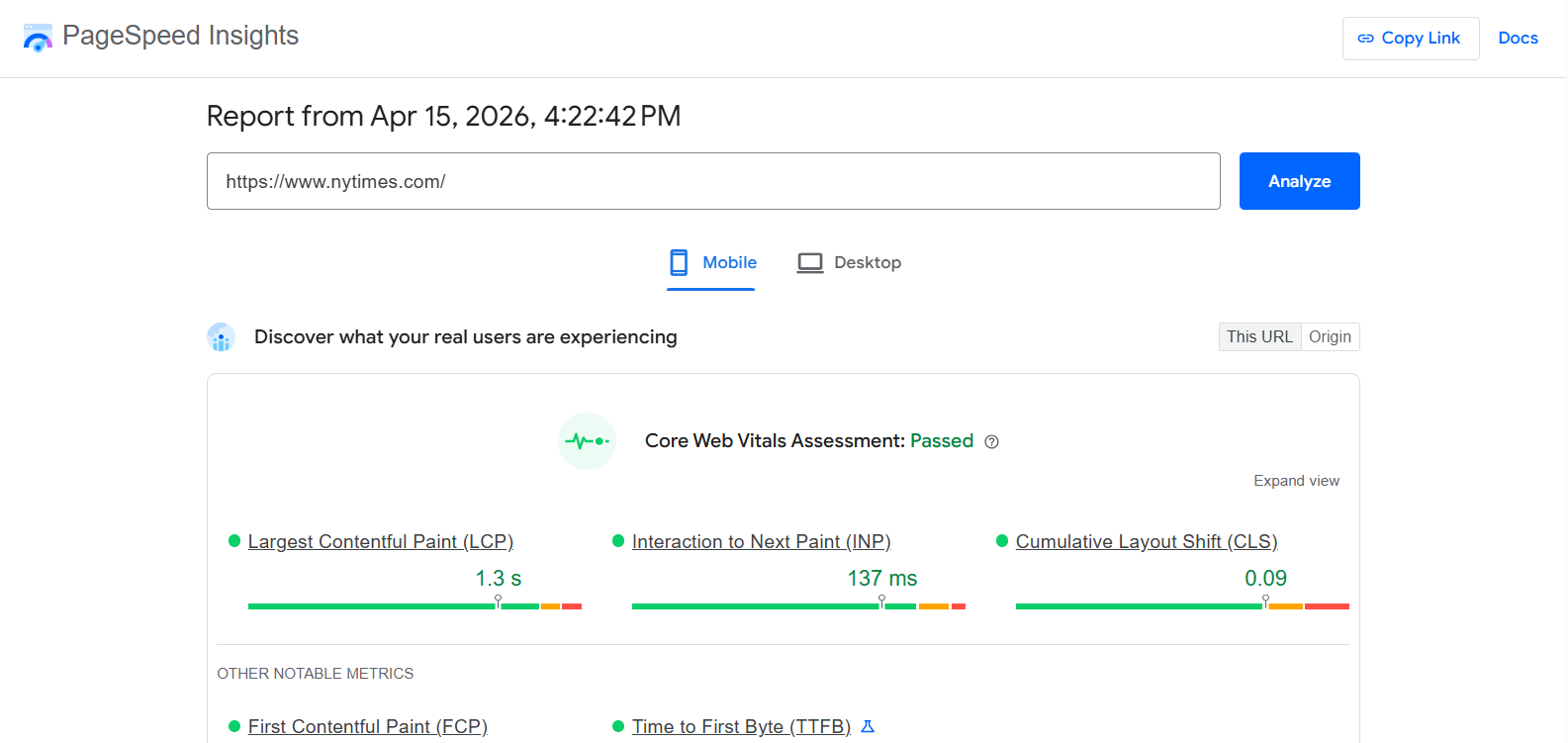
Google PageSpeed Insights gives you both lab data and field data from Google's Chrome User Experience Report (CrUX). Always pull mobile and desktop separately - Google's mobile-first indexing means mobile scores are the ones with SEO consequences.
2. Google Search Console

Google Search Console shows the Core Web Vitals report based on your actual user population over a 28-day rolling window. This is the data Google uses for ranking signals. Individual URLs that fail the thresholds are listed explicitly.
3. GTmetrix

GTmetrix is more useful than PageSpeed for waterfall analysis - it shows you the sequence in which assets load, which makes it easy to spot render-blocking JavaScript or a slow third-party tag stalling the page.
4. WebPageTest

WebPageTest goes deeper: filmstrip views show you the literal frame-by-frame render of your page at a simulated connection speed, on a specific device. For diagnosing LCP specifically, this is the most precise tool available.
The 2026 targets to record in your baseline:
- TTFB (Time to First Byte): under 600ms for cached pages
- LCP (Largest Contentful Paint): under 2.5 seconds
- INP (Interaction to Next Paint): under 200ms
- CLS (Cumulative Layout Shift): under 0.1
One note on INP: if your audit reports are still mentioning FID (First Input Delay) as the responsiveness metric, they're out of date. Google replaced FID with INP as an official Core Web Vital in March 2024. The distinction matters because INP measures all interactions during a page session, not just the first one - it's a meaningfully harder standard.
Section 1: Server and Infrastructure
No frontend optimization survives a misconfigured or underpowered server. This is where you start.
1. Confirm You're Running in Production Mode
Impact: High | Who: Developer
Magento runs in three modes: default, developer, and production. Developer mode generates static files on the fly and logs extensively. It's catastrophically slow. Production mode deploys pre-compiled static files, disables the overhead of symlinks, and suppresses error reporting. If you inherited a store and aren't sure which mode you're in, check via CLI:
php bin/magento deploy:mode:show
Running any public-facing store in anything other than production mode is a fundamental error.
2. Upgrade to Magento 2.4.8
Impact: High | Who: Developer
Magento 2.4.8 was released on April 8, 2025 and is currently the version to be on. Per the official release notes, it adds PHP 8.4 support (with backward compatibility for PHP 8.3), drops PHP 8.1, ships with Valkey 8.x caching support, defaults the indexer mode to "Update by Schedule," and is fully optimized for OpenSearch 2.19. Elasticsearch support was removed in this release - if you're still on Elasticsearch, it's time to migrate to OpenSearch.
The extended support lifecycle for 2.4.8 runs until April 2028. Previous versions (2.4.4 through 2.4.7) are approaching end-of-support between 2026 and 2027.
3. Configure PHP OPcache Correctly
Impact: High | Who: Sysadmin
PHP OPcache stores compiled bytecode in shared memory so Magento doesn't have to load and parse PHP files on every request. An undersized OPcache causes cache thrashing - the cache fills, starts evicting entries, and TTFB climbs. For Adobe Commerce Cloud environments, Adobe recommends allocating at least 2GB (2048MB) to opcache.memory_consumption. Check your current allocation in php.ini or your pool configuration.
4. Use Dedicated or Managed Magento Hosting
Impact: High | Who: Business decision
Shared hosting is not a configuration problem. Shared hosting is a hardware problem - Magento's architecture requires CPU and I/O resources that shared environments physically cannot provide consistently. The correct stack is a managed cloud or dedicated server environment running Nginx with PHP-FPM, a dedicated database node, and separate services for caching.
5. Enable HTTP/2 or HTTP/3
Impact: Medium | Who: Sysadmin
HTTP/1.1 loads assets sequentially. HTTP/2 and HTTP/3 allow multiplexing - multiple CSS, JS, and image requests can be resolved simultaneously over a single connection. Verify your server and CDN are serving traffic over modern protocols. Most managed hosting and CDN providers support this by default, but it's worth confirming in your server headers.
Section 2: Caching
Caching is the highest-leverage optimization layer in Magento. A properly cached page bypasses PHP execution, database queries, and layout rendering entirely - it's served directly from memory.
1. Configure Varnish for Full Page Cache
Impact: High | Who: Developer / Sysadmin
Magento's built-in file-based full-page cache is not suitable for production. Varnish is an HTTP reverse proxy that stores fully rendered HTML in RAM and serves it in milliseconds. The difference is stark: a Varnish cache hit can drop TTFB from 1.5+ seconds to under 100ms. Magento 2.4.8 supports Varnish 7.6 and 7.7 (depending on exact patch level - verify in the official compatibility matrix).
Target a cache hit rate above 90% for guest traffic. If your hit rate is significantly lower, investigate which URLs or query parameters are causing cache misses.
2. Use Redis or Valkey for Cache and Sessions
Impact: High | Who: Sysadmin
File-system storage for Magento's backend cache and session data creates I/O bottlenecks and race conditions. Redis has been the standard for in-memory Magento caching for years. The 2.4.8 release officially added Valkey 8.x as a supported alternative - Valkey is an open-source Redis fork maintained by the Linux Foundation, generally considered the preferred modern choice for new deployments.
Use separate instances (or distinct database numbers within the same instance) for your default cache and your session storage. When they share the same pool, session writes can evict cached data and vice versa.
3. Verify All Native Cache Types Are Enabled
Impact: Medium | Who: Admin
Navigate to System > Cache Management in the admin and confirm all built-in cache types (Configuration, Layouts, Blocks HTML output, Collections Data, etc.) show as enabled. This takes two minutes and is occasionally missed after a fresh installation or environment migration.
Section 3: Frontend
A fast server with a bloated frontend still fails. The frontend is the layer your users actually experience.
1. Migrate to the Hyvä Theme
Impact: Very High | Who: Developer
This is the most consequential single change you can make to Magento frontend performance in 2026. The default Luma theme runs on RequireJS, KnockoutJS, and jQuery - a stack that frequently generates 200+ HTTP requests and megabytes of JavaScript payload on a standard category page.
Hyvä replaces this entirely with Alpine.js for interactivity and Tailwind CSS for styling, dramatically reducing request count and JavaScript payload. Stores migrating from Luma to Hyvä typically see request counts drop from the 200+ range into single or low double digits.
As of November 10, 2025, Hyvä Theme is free and open source under OSL3 + AFL3 licenses, available on GitHub and via Packagist. The previously required €1,000 license is gone. Hyvä Checkout, Hyvä Enterprise, and Hyvä UI remain separate paid products - but the core theme itself is now free.
One practical note: not all third-party extensions are Hyvä-compatible out of the box. Audit your extension dependencies before migrating in production.
2. Minify CSS and JavaScript
Impact: Medium | Who: Developer
Minification reduces file size by removing whitespace and comments. Enable it in Stores > Configuration > Advanced > Developer. On legacy Luma-based themes with many third-party extensions, test JavaScript bundling and merging extensively in staging first - these settings can occasionally break functionality or produce enormous merged files that hurt more than they help.
3. Defer Non-Critical JavaScript
Impact: High | Who: Developer
Render-blocking JavaScript delays both the point at which your page becomes visible and the point at which it becomes interactive. Any JS that isn't required to render above-the-fold content should be deferred. Third-party scripts (heatmaps, chat widgets, marketing pixels, A/B testing tools) are the main offenders - they should load via a tag manager after primary page content renders.
4. Optimize Images: Formats, Lazy Loading, and Dimensions
Impact: High | Who: Admin / Developer
Images are the single largest contributor to page weight on most Magento stores. Three changes address this:
- Serve in WebP or AVIF - both formats deliver significantly smaller file sizes than JPG or PNG for equivalent visual quality.
- Use native lazy loading - add loading="lazy" to all below-the-fold images so the browser doesn't fetch them on initial load.
- Declare explicit dimensions - every image tag should have width and height attributes specified. Without them, the browser can't reserve space for images before they load, causing layout shifts that hurt CLS.
5. Set Up a CDN
Impact: High | Who: Sysadmin
A CDN caches static assets (images, CSS, JS) at edge servers globally and serves them from the node closest to the user. For visitors geographically distant from your origin server, CDN delivery is the difference between 80ms and 800ms for asset downloads. Fastly, Cloudflare, and AWS CloudFront are the commonly used options in the Magento ecosystem; Fastly is native to Adobe Commerce Cloud.
Section 4: Database
An aging Magento database can quietly become a major TTFB problem. Log tables and abandoned quote rows accumulate invisibly.
1. Clean Up Log and Quote Tables Regularly
Impact: Medium | Who: Sysadmin
Over time, Magento accumulates abandoned shopping carts in quote and quote_item, session data (if stored in the database), and visitor log data across multiple tables. Schedule routine maintenance - truncating abandoned quote records older than 60 days and clearing expired session/log data - to keep database query times manageable.
2. Tune MySQL/MariaDB Configuration
Impact: Medium | Who: Sysadmin
The most impactful single database setting for Magento performance is innodb_buffer_pool_size, which controls how much of your database sits in RAM versus being read from disk. The general recommendation is to allocate up to 70% of available server RAM to the buffer pool. Magento 2.4.8 officially supports MariaDB 11.4 LTS and MySQL 8.4 LTS.
3. Set Indexers to "Update by Schedule"
Impact: High | Who: Admin
By default (prior to 2.4.8), Magento re-indexes whenever an entity is saved - every product update, price change, or inventory adjustment triggers synchronous reindexing that can lock database tables. In 2.4.8, new installations default to "Update by Schedule," but if you've upgraded from an older version, check this manually under System > Index Management. Switching to schedule-based indexing moves the work to cron and prevents admin saves from causing frontend slowdowns.
4. Confirm You're Running OpenSearch (Not Elasticsearch)
Impact: Medium | Who: Sysadmin
Magento 2.4.8 dropped Elasticsearch support entirely. If you're upgrading from a previous version that was running Elasticsearch, migrating to OpenSearch 2.19 is a required step, not optional. Verify your search infrastructure is running a supported version with appropriate memory allocation.
Section 5: Extension Audit
Third-party extensions are the most common cause of TTFB degradation in Magento. A poorly coded module that runs a heavy query on every page request bypasses every caching benefit you've built.
1. Uninstall Extensions That Aren't Actively Used
Impact: High | Who: Developer
Disabling an extension from the admin panel is not enough - its code, observers, and database tables remain active. Completely uninstall the codebase of any module not providing active business value. Run php bin/magento module:uninstall and remove the Composer package.
2. Profile Which Extensions Are Slowing You Down
Impact: High | Who: Developer
Tools like New Relic (APM) and Blackfire.io can identify exactly which PHP functions, database queries, and modules are consuming execution time. Without profiling, optimizing extension performance is guesswork. If your TTFB is high despite correct server and caching configuration, extension profiling is almost always the next place to look.
Section 6: Core Web Vitals
With infrastructure sorted, the remaining work is passing Google's specific thresholds.
1. LCP: Preload Your Hero Image
Impact: High | Who: Developer
LCP measures when the largest visible element (usually a product banner or hero image) appears on screen. The browser can't prioritize fetching an image it hasn't discovered yet in the HTML. Adding a <link rel="preload"> tag in the document head for your LCP image tells the browser to start fetching it immediately, before it processes the rest of the CSS and JS.
The web.dev case study on Vodafone Italy is worth knowing here: an A/B test with two visually identical pages - one with LCP-optimized loading, one without - found that a 31% improvement in LCP led to 8% more sales, a 15% improvement in their lead-to-visit rate, and an 11% improvement in their cart-to-visit rate. That came from a controlled experiment, not correlation.
2. INP: Reduce JavaScript on the Main Thread
Impact: High | Who: Developer
INP (Interaction to Next Paint) measures how quickly the page responds to user interactions throughout the entire session. The most common cause of poor INP is heavy JavaScript blocking the browser's main thread - when a marketing tracker is executing, the browser can't respond to a button click.
The practical fix is aggressive deferred loading of non-critical scripts and auditing every third-party tag to confirm it's earning its slot. The redBus case study on web.dev documents a real example: redBus undertook a substantial effort to improve their website's INP, and as a result of their efforts, they were able to increase sales by 7%. The specific changes - debouncing scroll handlers, reducing React re-renders by keeping input state local until blur - are transferable patterns for any JavaScript-heavy Magento frontend.
3. CLS: Fix Images and Reserve Space for Dynamic Elements
Impact: High | Who: Developer
CLS measures visual instability - content jumping as the page loads. The three most common culprits on Magento stores: images without explicit width and height attributes (the browser doesn't know how much space to reserve), late-loading web fonts that reflow text, and injected promotional banners that push content down after it's already rendered. Fix dimensions first, then audit for dynamic content insertion.
Section 7: Ongoing Monitoring
Speed optimization degrades over time. Every new extension, every product image added without WebP conversion, every third-party script the marketing team installs is a micro-regression. Without monitoring, you won't notice until a customer complains or a developer runs an audit.
- Google Search Console Core Web Vitals report: Review monthly. The 28-day rolling CrUX data means changes you deploy today won't be fully visible for up to a month.
- Synthetic uptime monitoring (Pingdom, Datadog): Alerts for TTFB spikes, which typically indicate a failed cache warm or a database lock.
- APM on production (New Relic): Historical records of transaction times make it possible to pinpoint when a specific deployment caused a regression.
- Re-test after every major change: A new extension or a theme update can silently break your Varnish cache or introduce a render-blocking script. Run PageSpeed Insights before and after any significant deployment.
Quick Reference Table
|
Step |
Category |
Impact |
|
Run in production mode |
Server |
High |
|
Upgrade to Magento 2.4.8 + PHP 8.3/8.4 |
Server |
High |
|
Configure OPcache (2GB+ on Cloud) |
Server |
High |
|
Use dedicated/managed hosting |
Server |
High |
|
Configure Varnish FPC |
Caching |
High |
|
Use Redis or Valkey 8.x |
Caching |
High |
|
Enable all native cache types |
Caching |
Medium |
|
Migrate to Hyvä theme |
Frontend |
Very High |
|
Defer non-critical JavaScript |
Frontend |
High |
|
Optimize images (WebP, lazy load, dimensions) |
Frontend |
High |
|
Set up a CDN |
Frontend |
High |
|
Clean log/quote tables regularly |
Database |
Medium |
|
Tune innodb_buffer_pool_size |
Database |
Medium |
|
Set indexers to "Update by Schedule" |
Database |
High |
|
Migrate to OpenSearch 2.19 |
Database |
Medium |
|
Uninstall unused extensions |
Extensions |
High |
|
Profile extension impact (Blackfire/New Relic) |
Extensions |
High |
|
Preload hero image (LCP) |
Core Web Vitals |
High |
|
Defer third-party scripts (INP) |
Core Web Vitals |
High |
|
Fix image dimensions and dynamic elements (CLS) |
Core Web Vitals |
High |
|
Monitor Search Console + synthetic alerting |
Monitoring |
Ongoing |
Frequently Asked Questions
Here are the answers to the common questions you might have.
1. What is the Fastest Magento 2 Configuration in 2026?
Magento 2.4.8 in production mode, running PHP 8.4, Varnish for Full Page Cache, Valkey 8 for session and backend cache, OpenSearch 2.19, and a Hyvä theme on the frontend. That stack removes every significant bottleneck across server, caching, and frontend layers simultaneously.
2. Does Hyvä Theme Really Improve Performance?
Yes, significantly. Luma generates 200+ HTTP requests and several megabytes of JavaScript on a typical page. Hyvä's Alpine.js + Tailwind stack reduces this dramatically. The licensing barrier is also gone - as of November 10, 2025, the core Hyvä theme is free and open source under OSL3 + AFL3. Hyvä Checkout and Hyvä UI remain paid products.
3. What's the Difference Between LCP and INP?
LCP measures when the largest visible element on your page appears on screen - it's a loading metric. INP measures how quickly the page responds when a user clicks or taps something - it's a responsiveness metric. INP replaced FID as a Core Web Vital in March 2024 and is a stricter standard because it tracks all interactions during the session, not just the first one.
4. Is Elasticsearch Still Supported in Magento 2.4.8?
No. Magento 2.4.8, released April 8, 2025, removed Elasticsearch support entirely. OpenSearch 2.19 is the required search engine for this version.
5. How Often Should I Run a Performance Audit?
Run PageSpeed Insights before and after every significant deployment (extension installs, theme changes, Magento version upgrades). Run a comprehensive profiling audit with Blackfire or New Relic quarterly, or when Google Search Console shows a spike in failing Core Web Vitals URLs.
6. Do Extensions Slow Down Magento?
Every extension adds PHP overhead and potentially adds database queries and frontend JavaScript. Extensions that run heavy queries on every page load bypass caching entirely. Profiling tools (Blackfire, New Relic) will identify which specific modules are consuming the most execution time - that data is the only way to prioritize what to fix or remove.
Summary
The order of operations here is deliberate: server and caching work has a multiplier effect on everything downstream. Getting Varnish configured correctly and migrating to Valkey will do more for your TTFB than any amount of image compression. Getting your JavaScript weight under control - ideally by migrating to Hyvä - will do more for INP than any single script deferral decision.
Work through the checklist in sequence, measure after each major change, and use the monitoring tools to catch regressions before users do. A sub-2-second LCP is achievable on Magento for most stores that haven't accumulated years of unchecked technical debt. The path there is systematic, not dramatic.
