


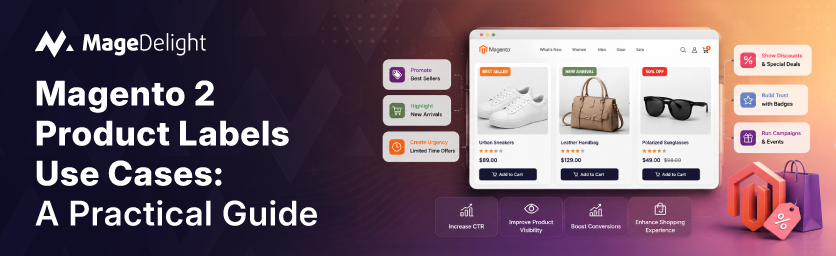
Extra costs are the single most preventable reason shoppers abandon a cart, according to Baymard Institute's ongoing research into checkout behavior. Shipping fees, taxes, and surprise charges introduced late in the process consistently outrank almost every other friction point. A product label cannot remove those costs, but it can surface the information early enough that the shopper never hits that wall of surprise in the first place: a “Free Shipping” badge on the category grid, a “Save 15%” tag on the product image, a stock count that sets expectations before checkout even starts.
That is really what product labels are for. They are not decoration. They are small, high-visibility signals that answer a shopper's unspoken questions (is this in stock, is this a deal, is this popular, is this for me) before the shopper has to click through to find out. Magento 2 does not ship with this capability natively, so merchants add it via an extension such as MageDelight's Magento 2 Product Labels Extension.
This guide walks through nine real use cases for product labels, the psychological or business mechanism behind each one, and the specific configuration approach that makes it work. Unlike a feature list, each section explains why the use case moves the needle, not just how to turn it on.
What Product Labels Actually Do to Shopper Behavior?
Before configuring anything, it helps to understand the three jobs a label does: it reduces uncertainty (stock status, compatibility, eligibility), it manufactures urgency (scarcity, deadlines), or it borrows trust (bestseller status, review counts, VIP exclusivity). Every use case below maps to one of these three jobs, and knowing which job a label is doing helps you decide where to place it, how long to run it, and which customer segment should see it.
Use Case 1: Flash Sale and Limited-Time Urgency Labels
A bold “24H DEAL” or “Sale Ends Soon” badge works because of loss aversion, the tendency to weigh a potential loss more heavily than an equivalent gain. Robert Cialdini documented this as the scarcity principle in his 1984 book Influence: The Psychology of Persuasion, building on earlier experimental work by Worchel, Lee, and Adewole, who found that people rate an identical object as more valuable when it is framed as limited rather than abundant. A countdown-style label does not change the product; it changes how the shopper values the window to buy it.
How to configure it:
- In the label's General settings, set a From Date and To Date that match the campaign window exactly. Letting a deadline slip past its stated end date undermines trust in every future deadline you set.
- In Where to Show, set the On Sale Product condition to Yes so the label only appears on products genuinely part of the promotion.
- In Label Design, choose a high-contrast template and set a low priority number so the urgency badge outranks quieter labels during the campaign.
This pairs naturally with a countdown timer on the product detail page itself, giving the shopper a second, more granular reminder of the deadline once they have clicked through.
Use Case 2: Dynamic Discount Percentage Labels
Manually updating “Save 20%” text every time a price changes is exactly the kind of repetitive admin work that introduces errors. A dynamic label that pulls the discount percentage directly from the original and sale price stays accurate without anyone touching it, which matters most for catalogs where pricing shifts weekly, such as fashion or consumer electronics.
How to configure it:
- Set the On Sale Product condition to Yes in Where to Show.
- Use the discount percentage variable in the Label Text field so the badge calculates and displays the live figure.
- In the extension's global configuration, set a minimum discount threshold (for example, 5 percent) so the label does not fire on negligible price drops, and choose a rounding method that matches how your store already communicates discounts elsewhere.
The label only works if a sale price actually exists on the product. For storewide promotions applied across many SKUs at once, a cart price rule is the faster way to set the underlying discount before the label reflects it.
Use Case 3: Low Stock Scarcity Labels
“Only 3 left” is one of the clearest applications of the same scarcity mechanism from Use Case 1, but tied to real inventory rather than a marketing deadline. Because the label reflects an actual constraint, it tends to feel more credible to shoppers than a generic countdown, which is part of why it performs well for sneakers, collectibles, and any limited-run product.
How to configure it:
- Set a stock threshold in Where to Show; below this number, the label activates automatically.
- Choose whether the threshold applies to listing pages, product pages, or both, since a merchant might want the urgency signal earlier in the browsing journey (the category grid) rather than only at the point of purchase.
- Use a dynamic quantity variable in the Label Text so the exact remaining count displays without manual updates as stock depletes.
Because this label is tied to inventory truth, it needs to update in near real time. A stale “Only 2 left” badge on a product that actually has forty units in stock is the kind of inconsistency that erodes trust faster than having no label at all.
Use Case 4: New Arrival Automation
For catalogs that refresh weekly or biweekly, manually tagging every new SKU does not scale. A “New” label tied to the product's creation date solves this without ongoing admin work, keeping the storefront feeling current with zero manual tagging.
How to configure it:
- In the extension's New Product Settings, choose Create Date as the trigger and set a day window (14 days is a common default).
- Create the label itself with the New Products condition set to Yes; it will then apply automatically to any product that falls inside that window and drop off on its own once the window passes.
This use case is a good pairing point for a store that also wants to notify subscribers when specific items go live, since the same “recently added” logic can feed both the label and an email trigger.
Use Case 5: Best Seller Social Proof
Research from Northwestern University's Spiegel Research Center found that the purchase likelihood for a product with five reviews is 270 percent greater than the purchase likelihood for a product with no reviews at all. A “Best Seller” badge works on a related principle: it tells a first-time visitor that other people have already vetted this product, without the shopper having to read a single review to get that reassurance. It is particularly effective in categories like supplements, skincare, or home goods, where buyers rely heavily on social validation before committing.
How to configure it:
- Set the Best Seller condition to Yes in Where to Show.
- Use the Product Limit field to cap how many SKUs qualify (ten is a reasonable starting point). Labeling every third product as a “Best Seller” dilutes the signal and makes shoppers stop trusting it.
- Choose a high-contrast design that visually separates this badge from promotional labels like sale tags, since the two are communicating different things.
Use Case 6: Customer Group and B2B/VIP Labels
Not every shopper should see the same badge. A wholesaler viewing your catalog has different priorities (bulk pricing thresholds, minimum order quantities, real inventory counts for logistics planning) than a retail shopper browsing for one item. Segmenting labels by customer group lets a “Member Exclusive” or “Wholesale Price” badge appear only to the relevant audience, which both rewards loyal or B2B accounts and gives guest visitors a reason to register.
How to configure it:
- In the label's General section, use the Customer Group field to restrict visibility to specific groups such as Wholesale, Retailer, or a custom VIP segment.
- Customers outside the selected groups will not see the label at all, even on the identical product page, which keeps the storefront uncluttered for shoppers the message was never meant for.
This use case works especially well alongside a tool like MageDelight's Price Per Customer extension, which handles the actual tiered or group-specific pricing that the label is calling attention to. The label draws the eye; the pricing extension delivers on what the label promises.
Use Case 7: Free Shipping Eligibility Labels
Baymard Institute's research consistently finds that unexpected extra costs, shipping chief among them, are the leading cause of abandoned carts once “just browsing” is excluded from the count. Burying a free shipping threshold in the cart page means shoppers only learn about it after they've already priced out the product mentally without it. Surfacing a “Free Shipping” label at the category or search results stage puts the incentive in front of the shopper before that mental math happens.
How to configure it:
- Create a label with a Conditions rule targeting products or price ranges that qualify for free shipping.
- Set the label to display on Category and Search result pages specifically, not just the cart, so shoppers see it early in the journey.
Where your store also restricts which shipping methods apply to which products, such as heavier or oversized items that cannot ship free regardless of order value, a tool like MageDelight's Shipping Restrictions extension keeps the label and the actual checkout behavior aligned so a shopper never sees a free shipping badge on a product that will not honor it.
Use Case 8: Out of Stock Labels Without Losing SEO Rankings
This is the use case competitor guides tend to skip entirely, and it is arguably the one with the highest cost if handled wrong. Deleting or hiding an out-of-stock product page is a common instinct, but it quietly damages a page's SEO standing: any backlinks, keyword rankings, and crawl history built up over time disappear along with the page. Google's own structured data documentation recommends the opposite approach: keep the page live, and use accurate availability markup (InStock, OutOfStock, PreOrder, and so on) so search engines understand the product's status without losing the URL's equity.
How to configure it:
- Enable the Stock Status label setting so an “Out of Stock” badge displays automatically whenever inventory hits zero, without needing a separate rule per product.
- Pair the label with a restock notification flow. MageDelight's Out of Stock Notification extension lets shoppers subscribe for an alert the moment the product is back, which captures demand instead of losing the visitor entirely.
- If your store uses structured data for rich results, confirm the Availability schema updates in the same event that flips the product's stock status, since a mismatch between what the page shows and what the markup claims can trigger a Search Console warning. MageDelight's Advanced SEO Suite handles this kind of schema and rich snippet configuration if it is not already automated on your build.
Use Case 9: Seasonal and Campaign Labels
A label does not have to be plain text. Swapping in a custom seasonal image, a holiday ribbon, a festival badge, keeps a storefront visually aligned with the shopping moment, which matters most for gift shops, florists, and any retailer where the emotional context of a season influences the purchase.
How to configure it:
- In Label Design, upload a custom image instead of selecting a text template, then use the drag-and-drop position tool to place it precisely on the product image.
- Set From Date and To Date so the seasonal label activates and expires automatically, avoiding the awkward scenario of a Diwali badge still showing in February.
Comparison Table: Matching Use Cases to Store Type
|
Use Case |
Psychological Driver |
Best-Fit Store Type |
Config Complexity |
Primary Risk if Misused |
|
Flash Sale/Urgency |
Loss aversion, scarcity |
Fashion, electronics, seasonal retail |
Low |
Deadline that doesn't actually expire |
|
Dynamic Discount % |
Accuracy, reduced friction |
Frequently repriced catalogs |
Low |
Label fires on trivial discounts |
|
Low Stock |
Real scarcity |
Sneakers, collectibles, limited runs |
Medium |
Stale count that doesn't match inventory |
|
New Arrival |
Freshness signal |
Fast-refresh catalogs |
Low |
None significant |
|
Best Seller |
Social proof |
Supplements, skincare, home goods |
Medium |
Overuse dilutes the signal |
|
Customer Group/VIP |
Exclusivity, segmentation |
B2B, wholesale, loyalty programs |
Medium |
Wrong group sees a private price |
|
Free Shipping |
Cost transparency |
High cart-abandonment categories |
Medium |
Badge shown on excluded products |
|
Out of Stock |
Trust, SEO preservation |
Any catalog with restock cycles |
Medium |
Deleting the page instead of labeling it |
|
Seasonal/Campaign |
Emotional relevance |
Gifts, florists, confectionery |
Low |
Label outlives the season |
Choosing the Right Approach for Your Store
If your catalog turns over fast and pricing changes weekly, start with the dynamic discount and new arrival use cases; both are close to zero-maintenance once configured and directly address the admin overhead that usually stops merchants from bothering with labels at all.
If your store sells to both retail and wholesale customers, the customer group labeling use case is the one to prioritize. It's the difference between a single storefront that feels tailored to each visitor and one where a wholesaler has to dig through irrelevant retail promotions to find the pricing that actually applies to them.
If your biggest problem is cart abandonment rather than discovery, the free shipping and low stock use cases will do more for your conversion rate than any amount of new-arrival badging. Baymard's research points squarely at cost surprises as the preventable cause, so that is where the label budget should go first.
And regardless of which use case you start with, treat the out-of-stock configuration as non-negotiable rather than optional. It is the one mistake on this list that costs you something you cannot easily get back: accumulated search ranking.
FAQs
This section covers the questions merchants ask most often once they start configuring labels on a live store.
1. Do Product Labels Slow Down My Magento 2 Store?
Not meaningfully, if the extension renders labels server-side rather than via heavy client-side JavaScript. Test page load times before and after installation on a staging environment to confirm your specific build isn't affected.
2. Can I Show More Than One Label on the Same Product?
Yes. Most Magento 2 label extensions, including MageDelight's, support multiple simultaneous labels per product and let you set a priority order so the most important badge displays first when space is limited.
3. How Do I Stop a Promotional Label From Displaying After a Sale Ends?
Set a From Date and To Date on every time-limited label rather than relying on manual removal. The label will stop displaying automatically once the end date passes, which avoids the common mistake of an expired deal still showing days later.
4. Will Out-of-stock Labels Hurt My Product Page's Search Ranking?
No, provided you keep the page live and update the Availability structured data to match the visible stock status. Deleting the page is what damages rankings, not labeling it correctly.
5. Can Labels Be Restricted to Specific Customer Groups, Like Wholesale Accounts?
Yes. Labels can be scoped to one or more customer groups in the configuration, so a B2B pricing badge or VIP label only appears to the account types it's meant for.
Conclusion
Product labels earn their place on a Magento 2 storefront when they answer a real question the shopper already has, rather than adding visual noise. Tie urgency labels to genuine deadlines, tie scarcity labels to genuine inventory, and never let a stock-status badge come at the cost of a page's SEO history. Configured this way, labels stop being decoration and start functioning as one of the more sustained, low-maintenance levers a Magento 2 store has for reducing the friction between browsing and buying.
