


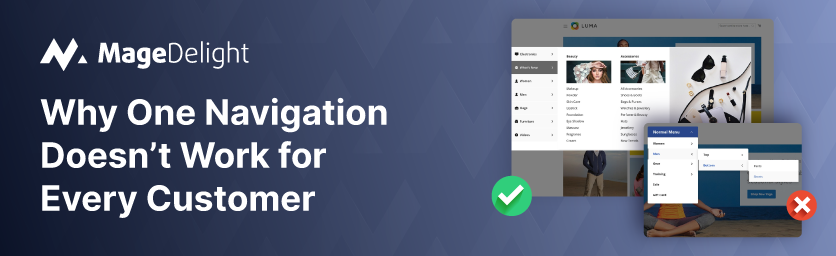
As Magento stores mature, many move beyond serving a single type of customer. It is common to see stores catering to retail shoppers, wholesalers, distributors, or VIP customers, all within the same website.
However, Magento’s default navigation is built on a simple assumption: every customer should see the same menu. In reality, that assumption rarely holds true. Different customer groups have different needs, priorities, and buying behaviors. When navigation doesn’t reflect this, confusion follows.
The Problem: Same Menu for Retail and Wholesale
Magento core navigation applies a one-size-fits-all approach. By default, it:
- Shows the same categories to every user
- Can’t hide or rearrange categories based on customer type
- Forces all users to navigate through the same structure
For stores running both B2C and B2B operations, this quickly becomes a serious usability issue.
Retail customers see:
- Bulk-only categories
- Wholesale terminology
- Sections that don’t apply to them
Wholesale customers, on the other hand, must wade through:
- Consumer-focused categories
- Promotional sections irrelevant to bulk buying
- Extra clutter before finding what they need
Use Case: Wholesale Customers Struggling to Navigate
A hybrid Magento store served:
- Regular retail shoppers
- Wholesale buyers with negotiated pricing and bulk quantities
Wholesale customers logged in expecting a streamlined experience but instead encountered a navigation built for retail users. They often had to:
- Click through multiple irrelevant categories
- Ask support where wholesale products were located
- Spend extra time finding pricing-specific sections
Over time, this led to increased support queries and frustration among high-value wholesale customers.
How MageDelight Mega Menu Helps
MageDelight Mega Menu introduces customer group–based navigation, allowing stores to tailor menus without complex development.
With this feature:
- Wholesale users see only categories relevant to bulk buying
- Retail shoppers get a cleaner, consumer-focused menu
- Each customer group experiences navigation designed for their needs
All of this is managed from the admin panel, no custom ACL logic or theme modifications required.
Business Impact
Customer group–based menus go beyond UX polish, they directly improve how efficiently different customer segments move through your store and complete purchases. By aligning navigation with user intent, Magento stores can reduce friction at the discovery stage, which is often where high-value users drop off.
Cleaner UX for Each Customer Type
Retail and wholesale users see navigation tailored to their buying context.
This removes irrelevant categories, reduces cognitive load, and shortens the path to the right products.
Result: faster product discovery, smoother browsing, and less confusion across user journeys.
Reduced Support Queries and Operational Load
When navigation reflects customer roles, users no longer need help locating the right sections, pricing pages, or bulk-order categories.
This leads to fewer “Where can I find…?” and “Which section applies to me?” tickets, reducing dependency on support teams and freeing up internal resources.
Higher Engagement and Conversion for B2B Users
Wholesale buyers typically arrive with clear intent. Personalized menus help them reach bulk products, negotiated pricing, or account-specific sections faster.
This minimizes friction in the buying journey and supports higher order values and repeat purchases.
No Custom Personalization Development or Technical Debt
Customer group–based menus remove the need for custom ACL logic, hardcoded conditions, or theme-level overrides.
Teams avoid building fragile, one-off navigation logic that becomes difficult to maintain during Magento upgrades or theme changes, saving long-term development and QA costs.
Scalable Navigation as Your Business Grows
As new customer groups, channels, or pricing tiers are introduced, navigation can be extended without redesigning the storefront.
This ensures your Magento store remains flexible as your B2B and B2C strategies evolve.
Demo Link:
Here is the Storefront Demo and Admin Panel.
Purchase link:
Here is the link to buy our Mega Menu Pro for Magento 2.
Contact Us:
You can reach out to us if you have any query about to extension here: Contact Us
