


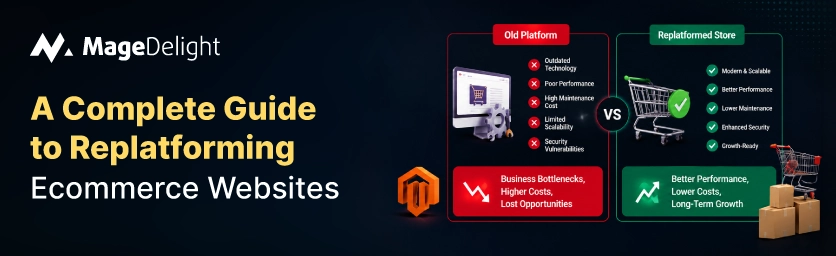
A poorly executed platform migration typically costs merchants 20 to 40 percent of their organic traffic, according to an August 2026 analysis by Optimum7 covering more than 1,000 completed ecommerce migrations. Some studies put the range even wider, at 30 to 60 percent in the first three months, and one widely cited study found that pages losing rank after a migration take an average of 523 days to recover, with 17 percent never recovering at all. That's the risk side of the ledger. The other side is what happens if you don't move: legacy platforms accumulate technical debt, integration costs climb, and a site's typical usable lifecycle runs five to seven years before the platform itself becomes the bottleneck.
Replatforming isn't optional forever, but it is entirely possible to do it without the traffic and revenue losses that make the headlines. Google's own guidance is that permanent redirects don't cause ranking loss on their own, and John Mueller has said a well-executed migration typically stabilizes in four to twelve weeks. The real difference between a recovery and a long struggle is how carefully you follow your plan, not which platform you pick.
This guide will explain what replatforming is, how to know when it is time to move, the steps to take, and how to keep the SEO value you have worked hard to build.
What Is Ecommerce Replatforming (and How It Differs from a Redesign)
Ecommerce replatforming means moving your store from one platform to another. This includes your product data, customer info, design, and all your tools. It is not the same as a redesign. A redesign only changes how the site looks. Replatforming changes the foundation, like your database, how people check out, and how your store talks to your other business tools.
Replatforming projects do one of these things: moving from one platform to another (like moving from Magento to Shopify), upgrading to a new version of the same platform, or putting many different brand sites onto one single system.
7 Signs It's Time to Replatform
You rarely decide to replatform. Usually the old platform has been causing problems for a time before you even talk about it. Here are some signs to watch for:
|
Warning Sign |
What It Looks Like |
Why It Matters |
|
Slow performance |
Pages load past 2-3 seconds, especially at peak traffic |
47% of shoppers expect load times under 2 seconds |
|
Rising extension costs |
Paying monthly for plugins that should be core features |
Ongoing spend can exceed the cost of a new platform license |
|
Platform end-of-life |
Vendor stops releasing security patches or updates |
Unpatched platforms are a compliance and breach risk |
|
Integration friction |
ERP, CRM, or PIM connections require custom workarounds |
Every workaround adds technical debt and fragility |
|
Mobile and UX complaints |
Customers report checkout friction or broken layouts |
Directly drives cart abandonment and lost revenue |
|
Developer dependency |
Every small change needs a specialized agency or dev |
Slows time-to-market for promotions and new features |
|
Platform age |
Site has run 5-7+ years on the same core version |
Matches the typical ecommerce platform lifecycle |
None of these signs mean you must move this second. If you see two or three of them at once, it is a big deal. If costs are going up and your vendor is not sending updates anymore, it is often cheaper to move than to stay.
The Real Cost of Waiting vs. The Risk of Moving
It is easy to think replatforming is about risk, like high costs or a messy transition. Those risks are real. You also have to look at the cost of staying still. If you use ecommerce technology for too long, your maintenance costs and security risks will keep growing every single month.
On the other hand, brands that plan their move well do much better than those that rush. Retailers who follow a plan move about 20 percent faster and stay on budget. The main lesson from every study is that how you execute the move matters much more than which platform you choose.
The Ecommerce Replatforming Process, Step by Step
1. Current-State Audit
First, make a list of everything you have. Look at every page, every tool, and every piece of data. If you skip this step, your project will likely go over budget.
• Technical and SEO audit: Check your URLs, rankings, and any errors.
• Integration inventory: List every tool you use, like payments, shipping, and marketing tools that must work on the site.
• Requirements backlog: Make a list of what everyone needs and decide what is most important.
2. Platform. Architecture
Once you finish the audit, pick a platform that actually fits your needs. Do not just pick what is popular. This is also when you decide how the new store and all its tools will work together.
3. Data. Url Mapping
Match every old URL to a new one before you start coding. This covers product pages, blog posts and category pages. Do the data move in steps. Do a practice run first check the numbers and manually look at orders and prices to make sure everything is right. Do not just trust a computer to count for you.
4. Build, Test and Freeze
Build your store in a private area where Google cannot see it. As the launch day gets closer, stop making changes to the site so the data stays the same. Test the site with a lot of traffic to make sure it does not crash.
5. Launch and Redirect Execution
The order of steps is very important on launch day. First, make the new site visible. Then turn on your redirects. Make sure they work perfectly. Send your sitemap to Google. The first 72 hours after you launch will decide how well your traffic recovers.
6. Post-Launch Monitoring
Check for errors. Watch your traffic every day for the first month. Compare the site to the old site to find any mistakes. It is much easier to fix a problem than it is a few months from now.
How to Protect Your SEO During a Platform Migration
Search traffic is often the valuable part of an ecommerce business. This is why people worry about SEO during replatforming. The good news is that you can avoid most of this risk if you are careful.
• Keep your URL structure the same if the new platform allows it. Changing URLs is always a risk.
• Use one-step 301 redirects. Do not make a chain where one link goes to another. Then another. This slows things down.
• Move all your SEO details exactly as they are, like page titles, descriptions, and image text.
• Keep your domain and redirects active for at least a year.
• Watch your filters and sorting tools. New platforms might create many extra pages that confuse search engines.
Common Replatforming Mistakes to Avoid
• Thinking replatforming is an IT job. Marketing, customer service and finance people all need to be involved.
• Skipping the practice run. A test move helps you find data errors while they are still easy to fix.
• Not making a redirect map. You need a plan for every page, not just the main categories.
• Launching without a plan. You should always have a way to go back to the site if something breaks.
• Ignoring the limits of your new platform. Some platforms only allow a number of redirects.
How to Choose a New Platform
Pick a platform based on what you need, not the way around. Ask yourself these questions:
• Can the platform handle my products and many warehouses without needing too much custom code?
• What is the total cost? Look at hosting, apps, and the cost of developers, not the monthly fee.
• How does the company help you? Good support can save you from having to hire agencies for every little problem.
• Will this platform work for me for the five to seven years as I grow?
If you are moving away from Magento, you should look closely at what a Magento 1 to Magento 2 migration looks like. Magento 1 is old. No longer gets security updates, which is a huge reason to move.
Getting the Migration Itself Right
Replatforming is one of the highest-risk, highest-reward projects an ecommerce business takes on. Every study on the subject reaches the same conclusion: the platform you choose matters less than how carefully you execute the move. A complete redirect map, a validated data migration, and disciplined post-launch monitoring are what separate a migration that stabilizes in weeks from one that costs a year of traffic.
If you are weighing whether your current setup still fits, a Magento audit and optimization review is a first step before committing to a full replatform. A Magento audit and optimization review will show you which of the warning signs above actually apply to your store.
If the audit points toward migrating away from an existing Magento or Shopify setup, reviewing a like-for-like Shopify to Magento migration process ahead of time makes the scoping conversation with your development team considerably more concrete.
Frequently Asked Questions
How long does an ecommerce replatforming project take?
It depends on how big your store's but a medium store usually takes a few months. Big companies take longer. Do not rush the audit or the data checks. You will have problems later.
Will I definitely lose search rankings when I replatform?
Not if you use a redirect map. Google says redirects do not hurt your rank on their own. Most sites only see a bit of movement for a few weeks while Google learns the new site.
Should I migrate everything at once. In phases?
It all depends on the size of your catalog. Smaller catalogs usually move over at once in one single cutover. However, larger businesses that manage brands or many regions often choose to phase the migration by region or by product line. This helps to limit the damage if something goes wrong during the process.
Who should be involved in a replatforming decision?
You need stakeholders beyond just the IT team. Marketing needs to weigh in on SEO and content migration. Customer support needs to understand what changes for existing customers. Also, finance needs to confirm the business case before the project gets a budget.
