


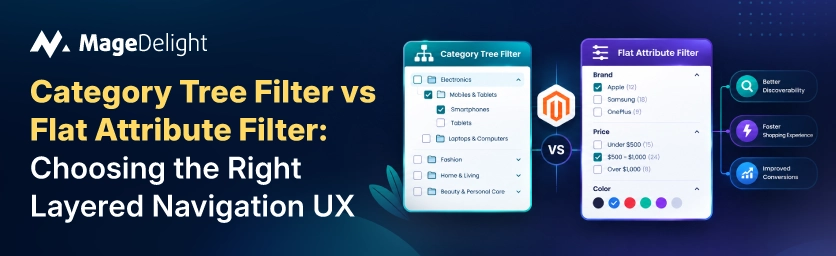
Stores with optimized navigation see conversion rate increases of 30 to 60 percent, according to Baymard Institute research, and 69 percent of shoppers rely on navigation or search as their primary way of finding products. That's enough impact that the main structural choice whether your store uses a category tree for discovery or a flat attribute filter system needs more thinking than most redesigns give it. The two methods aren't different ways of doing the same thing; they show different ideas about how customers think, and choosing the wrong one for your catalog creates problems that no pretty design can solve.
This explanation shows what really sets the two models apart, when each one works best, and why most stores that do this right end up using a mix of just one.
Two Different Ideas About How Shoppers Think
A category tree is a fixed, hierarchical grouping representing different product types or shopping intents, department branching into subcategory branching into product type, the classic Men > Clothing > Jackets pattern. A flat attribute filter system takes the opposite approach: it reduces deep, rigid category nesting and instead relies on filters color, size, brand, material, price layered on top of a broader, shallower collection structure to do the work of narrowing results.
The distinction that actually matters is buyer intent. Category filters help shoppers orient themselves on broad collection pages that span multiple product types, which is exactly the job a category tree does well. Flat attribute filtering shines when a shopper's need is expressed as a set of characteristics rather than a single product type. Someone looking for anything navy, under $150, in linen doesn't want to pick a category first. They want to describe what they're after and let the system narrow it down.
When a Category Tree Wins
A hierarchical structure is ideal for large catalogs with clear parent-child relationships, where a department, a subcategory, and a product type are genuinely different things a shopper thinks about separately, not just different labels for the same flat list. It's also the stronger default when buyer intent is goal-oriented rather than exploratory: someone who already knows they want a blazer benefits from a tree that gets them there in a few confident clicks, rather than being forced to configure filters from a blank slate.
• Distributes SEO ranking signal cleanly when built with real, crawlable links at each level, since search engines read a well-structured hierarchy as a clear signal of how your catalog relates to itself.
• Keep the hierarchy within three levels. A simplified structure helps both shoppers and search engines understand category relationships, and most guidance treats three levels as the practical ceiling before deeper nesting starts costing more than it helps.
• Watch mobile usability specifically. Nested dropdowns are difficult to navigate on a small screen, and a tree that works fine on desktop can become the reason a mobile shopper gives up if it's not restructured for touch.
When a Flat Attribute Filter Wins
A flat taxonomy works well for smaller catalogs where over-nesting would confuse shoppers, and it's the better fit whenever a distinction changes an attribute of the product rather than the fundamental kind of product itself. The practical rule of thumb: if a difference changes what the product fundamentally is, that's a subcategory; if it changes a characteristic of an otherwise similar product, that's a filter. A running shoe and a dress shoe are different kinds of product, worth a subcategory each; a shoe's color and size are attributes, better left to filters.
• Reduces maintenance overhead as a catalog grows, since new products mostly need correct attribute values rather than a decision about which new hierarchy node they belong in.
• Attribute filters only work if the underlying product data is consistent. A size filter returning incomplete results because some products use S/M/L and others use numeric sizing frustrates shoppers rather than helping them, so data hygiene is a prerequisite, not an afterthought.
• Pair broad top-level categories, five to eight is the commonly cited range for most stores, with rich filtering underneath, rather than trying to encode every distinction into the navigation tree itself.
Side-by-Side Comparison
|
|
Category Tree |
Flat Attribute Filter |
|
Best catalog size |
Large, with clear parent-child product relationships |
Smaller catalogs where deep nesting would confuse shoppers |
|
Buyer intent fit |
Strong goal-oriented intent ("I want a blazer") |
Exploratory, cross-category browsing ("show me anything navy under $150") |
|
Maintenance overhead |
Higher; every new product type may need a new node |
Lower; new products just need correct attribute values |
|
Mobile usability |
Nested dropdowns get difficult past 2–3 levels |
Flat filter panels scale better on small screens |
|
SEO structure |
Clear hierarchy signal distributes ranking value well |
Requires deliberate canonical/indexing rules on filter URLs |
|
Typical real-world pattern |
Hybrid: broad categories at top |
Rich facets for refinement underneath |
Why Most Stores End Up With a Hybrid
Most mid-to-large stores need a combination of both models: broad categories at the top handling department-level orientation, and rich facets for refinement underneath handling the attribute-level narrowing a category tree alone can't do gracefully. This isn't a compromise so much as the two models solving genuinely different parts of the same discovery problem. The category tree asks, "Where do I start?" The attribute filter asks, "Which exact one of these similar items do I really want?"
Brand is one of the examples where this mixed approach appears in real life. Brand is technically an attribute, not a product type. A Nike running shoe and an Adidas running shoe are the kind of products from different companies, which makes brand a good choice for filtering rather than its own category. For stores where brand loyalty really affects buying, treating it just as a hidden filter misses how often customers come in already knowing which brand they want.
This is the gap a dedicated brand navigation layer closes. MageDelight's Shop By Brand extension adds a distinct Brands entry to the main navigation alongside your category tree, with dedicated, SEO-optimized pages for each brand carrying a logo, description, and its associated products, while still supporting brand as a standard layered navigation filter on regular category pages. Shoppers who already know their brand get a direct, prominent path; shoppers browsing by product type still find brand available as one filter among several. That's the hybrid model applied specifically to the attribute most worth promoting out of the filter panel.
Match the Structure to How Shoppers Actually Arrive
Neither a category tree nor a flat attribute filter system is universally correct, and the research is consistent on this point: the right answer depends on catalog size, how distinct your product types genuinely are, and whether your shoppers arrive with goal-oriented or exploratory intent. Most real stores use a mix, categories to help people find their way and rich attribute filters to narrow down with individual attributes, like brand shown in their own special navigation when the data shows customers often know what they want.
If brand loyalty is a reason people buy in your catalog, it's worth checking if Shop By Brand gives those customers the direct path they need instead of keeping brand hidden among other filters.
Frequently Asked Questions
How many top-level categories should a store have?
Most guidance converges on five to eight for the majority of stores. Fewer than five tends to make categories too broad for shoppers to navigate quickly; more than ten to twelve creates cognitive overload, particularly on mobile, where navigation can become an overwhelming scrollable list.
Should brand be a category or a filter?
Technically, an attribute, since it describes a characteristic of the product rather than the kind of product itself, which argues for filtering. In practice, stores where brand loyalty strongly drives purchase behavior often benefit from giving brand its own dedicated navigation entry and landing pages in addition to standard filtering, rather than treating it as just another checkbox buried in the filter panel.
Does a flat taxonomy hurt SEO compared to a category tree?
Not inherently, but it requires more deliberate work. A category tree naturally distributes ranking signal through a clear hierarchy when built with real links at each level. A flat, filter-heavy structure needs explicit canonical tags and indexing rules on filtered URLs to avoid duplicate content issues, since filter combinations can otherwise generate large numbers of near-identical, competing pages.
What's the biggest mistake stores make with layered navigation UX?
Overcomplicating the category structure past three levels, which confuses both shoppers and search engines about which pages matter most. The more common fix is consolidating niche subcategories into broader parent categories with strong filtering underneath, rather than continuing to add hierarchy depth to accommodate every product distinction.
