


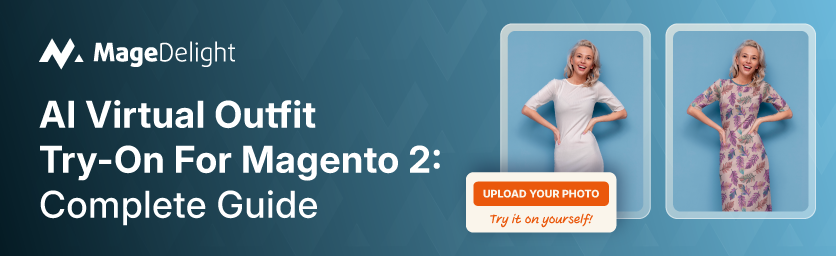
Online apparel has a 22% return rate in the US - more than three times the 6.2% rate for the same goods bought in-store, according to the ICSC's 2024 consumer survey. Fit is the single largest driver, accounting for 38% of returned items. For a fashion store doing $500K in annual revenue, that math gets uncomfortable fast: $110K of merchandise heading back to the warehouse, plus processing costs on top of that.
AI virtual try-on addresses the root problem rather than just the symptom. Instead of tweaking your return policy - or charging customers to send things back - it lets shoppers see how a garment looks on their own body before they order. The technology has matured significantly since early AR overlay experiments. Today's AI-powered try-on uses diffusion models to generate realistic, photo-quality images of a specific customer wearing a specific product. It does not require 3D assets or expensive custom development.
This guide covers how AI virtual outfit try-on works on Magento 2, what to look for in an extension, and how to set it up properly - including configuration steps, admin controls, and how to measure whether it's actually working. If you're running a fashion or apparel store on Magento 2.4, this is the practical guide you need.
Why Fashion Stores Bleed Money on Returns?
The National Retail Federation's 2025 report puts total US retail returns at nearly $850 billion. Online apparel is a significant part of that - with return rates running at 22-40% depending on the category. Fast fashion is at the higher end. Luxury runs lower at 15-20%, mostly because buyers are more deliberate.

There are a few reasons online apparel returns are so much higher than in-store:
- Customers cannot try on a product before buying, so they guess on sizing
- Photography often flatters garments in ways that do not match real-world appearance
- Bracketing - ordering multiple sizes or colorways to compare at home - has become a mainstream behavior, particularly among younger shoppers
- Color and texture rendering on screens varies enough that what looks navy blue on one monitor can look near-black on another
The consequence is not just lost revenue. Every returned item costs 2-3x its retail value once you factor in reverse logistics, re-inspection, repackaging, and the risk of not being able to resell at full price. Industry data from multiple sources suggests returns can erode 10-20% of a fashion retailer's total revenue. Virtual try-on is the only technology that attacks the fit-uncertainty problem directly.
What AI Virtual Try-On Actually Does?
There is a gap between how virtual try-on is marketed and what it actually does. It is worth being precise about this before you commit to an implementation.
Modern AI try-on does not overlay a flat garment graphic onto a photo. That was the early AR approach, and it produced uncanny results. What current AI-based tools do is run a diffusion model that genuinely synthesizes an image - it generates a new photograph of the customer wearing the garment, accounting for body shape, lighting, and fabric drape. The output looks like a real photo.

What it does not do:
- It does not simulate how fabric feels or how a garment moves
- It does not guarantee accurate sizing - it shows appearance, not fit
- It does not work perfectly with every garment type; structured outerwear and highly textured fabrics are harder than jersey basics
Despite those limitations, the data is clear on impact. A case study from Computools' TRY IT ON implementation - deployed across Shopify and Magento environments - showed a 20% increase in online sales and a 30% reduction in return rates after integration. Separately, the Coresight Research study on apparel returns found that 85% of apparel retailers either already use or plan to adopt virtual try-on technology.
That last statistic matters because it signals a competitive baseline shift. In 2026, virtual try-on is becoming a table-stakes feature for fashion ecommerce, not a differentiator.
How AI Virtual Try-On Works on Magento 2?
The technical flow for a Magento 2 implementation has five stages:
- Customer lands on a product page where the admin has enabled try-on for that specific product (not every product qualifies - the admin controls which items expose the try-on interface).
- Customer uploads a photo directly on the product page. The extension provides clear guidance on photo requirements (full-body, good lighting, plain background recommended).
- The Magento extension sends the customer photo and product image to the AI API - in MageDelight's case, the Ayna Garment Photoshoot Generator API processes both inputs and returns a synthesized image.
- The generated image appears on the product page, with an option to view full-size. The customer can see exactly how the garment looks on their own body.
- Results are saved to the customer's account in a 'My Try-Ons' section, where they can revisit, compare, and delete previous try-ons. Admins can also view and manage these records from the backend.
Logged-in accounts are required for the try-on feature - guest users are prompted to sign in or create an account first. This is both a privacy control and a conversion tool: it adds another touchpoint that encourages account creation.
Key Features to Look For in a Magento 2 Try-On Extension
Not all virtual try-on extensions for Magento 2 are built the same. Before choosing one, check these:
AI Quality of The Underlying Engine
The try-on image is only useful if it looks realistic. Check whether the extension uses a proven AI API (like Ayna) or a proprietary model with limited documentation.
Per-product Try-on Control
Admins need to enable try-on selectively - not every product in a catalog will work well with AI try-on. The extension should let you designate specific product images as try-on eligible.
Customer Try-on History
Persistent storage of try-ons per customer account lets shoppers compare looks across different products - which is how virtual try-on actually drives purchase decisions.
Privacy and Data Controls
Customer photos are sensitive. The extension should let admins configure storage duration, purge timelines, and allow customers to delete their own try-ons at any time.
Admin Oversight Grid
Admins should be able to view all try-on records, delete them where required (GDPR compliance), and monitor which products are generating the most try-on activity.
Hyvä Compatibility
If your store runs on the Hyvä theme (or you're planning to migrate), the extension needs to be confirmed compatible - or you'll end up with a broken frontend.
Backend Label Customization
Section titles, button labels, and UI copy should be editable from the admin panel so the try-on feature integrates with your brand rather than looking bolted-on.
Top AI Virtual Try-On Extensions for Magento 2
Three options exist for Magento 2 stores looking to add AI-powered virtual outfit try-on. They differ significantly in pricing model, AI engine, and feature depth.
|
Extension |
Price |
API Engine |
Hyvä-Ready |
My Try-Ons |
Best For |
|
MageDelight AI Garment Try-On |
$149 one-time |
Ayna API |
Yes (free) |
Yes - full history & privacy controls |
Fashion/apparel stores on Magento 2.4 |
|
Meetanshi AI Virtual Try-On |
Contact for pricing |
Proprietary |
Limited |
No persistent dashboard |
Basic try-on for smaller catalogs |
|
Uwear.ai for Magento |
SaaS (request access) |
Uwear Drape engine |
Not confirmed |
No - session only |
High-volume SKU batches |
MageDelight AI Garment Virtual Try-On for Magento 2
The MageDelight AI Garment Virtual Try-On extension is the most feature-complete Magento 2 try-on solution available as of 2026. Released in August 2025, it uses the Ayna Garment Photoshoot Generator API - a dedicated garment AI engine rather than a general-purpose image model - to produce realistic try-on images from a customer photo.
What separates it from the competition is the customer-side dashboard. The 'My Try-Ons' section in the customer account saves every generated try-on with the date, the product image used, and the customer's uploaded photo. Shoppers can open any result full-size, compare across products, and delete records they no longer want. Admins get their own backend grid at MageDelight → AI Self Try-Ons → Try-On Images, where they can see all activity across the store and delete records for compliance purposes.
At $149 one-time, it is a flat purchase - no monthly SaaS fee on top of the Ayna API costs. All MageDelight extensions are Hyvä-ready at no additional cost, which matters if you're on a performance-optimized storefront. Compatible with Magento 2.4 (both Open Source and Adobe Commerce).
- Best for: Fashion and apparel stores on Magento 2.4 that want a complete try-on system with customer history and full admin control
- Pricing: $149 one-time + Ayna API subscription
- Hyvä-ready: Yes, included at no extra cost
Meetanshi AI Virtual Try-On
Meetanshi's AI Virtual Try-On for Magento 2 covers the core use case - photo upload and AI generation on the product page - but lacks the persistent customer history dashboard and the detailed admin oversight grid that MageDelight provides. Pricing is contact-based rather than listed publicly.
Reasonable choice for smaller stores with limited catalog complexity and no pressing need for per-customer try-on analytics or GDPR-ready deletion controls.
- Best for: Smaller apparel catalogs where basic try-on functionality is sufficient
- Pricing: Contact sales for quote
- Hyvä-ready: Limited - verify before purchasing
Uwear.ai for Magento
Uwear.ai offers a Magento-native try-on solution built around their proprietary Drape engine, designed for high-volume catalog work with batch processing up to 10,000 items. Their Magento integration is early access as of early 2026, and pricing is SaaS-based with limited public detail. Worth watching if you have a large catalog and need volume-scale try-on generation, but not yet ready for production use in most fashion store scenarios.
- Best for: High-volume fashion brands that need batch-scale AI try-on across large catalogs
- Pricing: SaaS - request early access
- Hyvä-ready: Not confirmed
Step-by-Step: Setting Up MageDelight's Virtual Try-On on Magento 2
The full setup guide is available in the MageDelight documentation. Here is the condensed, practical version.
|
Step 1 |
Download the MageDelight Base Extension from magedelight.com and unzip it into app/code/magedelight/ in your Magento root. |
|
Step 2 |
Download the AI Garment Virtual Try-On package and unzip it into the same app/code/ directory structure. |
|
Step 3 |
Run: php bin/magento setup:upgrade && php bin/magento setup:di:compile && php bin/magento cache:flush |
|
Step 4 |
Register at app.getayna.com to get your Ayna API keys. This is the AI engine that generates the try-on images. |
|
Step 5 |
In Magento Admin, go to MageDelight → AI Virtual Try-On → Configuration. Enter your Ayna API keys and enable the module. |
|
Step 6 |
Navigate to Catalog → Products → Edit a product → Images and Videos. Click the product image, select 'Try-On Image' from the popup options. |
|
Step 7 |
Customize section labels, button text, and UI copy from the backend configuration to match your brand voice. |
|
Step 8 |
Test with a logged-in customer account: upload a photo, trigger a try-on, and verify results save to the My Try-Ons dashboard. |
One thing worth noting about step 4: the Ayna API is a separate subscription from the extension itself. Think of MageDelight's extension as the Magento-side integration layer, and Ayna as the AI engine underneath. You'll need an active Ayna account with API credits for try-ons to generate. Budget for this before launch.
If you're running a Hyvä theme, no additional compatibility work is needed - all MageDelight extensions are Hyvä-ready at no extra cost.
Who Should (and Shouldn't) Use Virtual Try-On?
Virtual try-on is not the right investment for every Magento 2 store. Here's an honest breakdown:
Use it if:
- You sell clothing with significant sizing variability - dresses, outerwear, formalwear, plus-size, anything where a customer can't predict how it'll look without trying it
- Your return rate is above 20% and fit complaints appear frequently in support tickets or reviews
- You sell international brands where size standards differ across regions (a US medium vs a European medium vs a Korean medium are three different garments)
- Your average order value is high enough that the conversion lift from reduced purchase hesitation justifies the API credit cost per try-on
Skip it (for now) if:
- You primarily sell accessories, jewelry, bags, or footwear - garment-specific AI try-on does not translate well to these categories
- Your product catalog is mostly basic t-shirts or uniform items where sizing is standardized and your return rate is already below 10%
- You don't have good product photography - the AI try-on result quality depends heavily on having clean, high-quality source garment images
One practical note: the MageDelight extension requires customers to be logged in. This is by design for privacy reasons, but it does mean guests cannot try-on. If your store has low account creation rates, you may want to pair this with the Mobile OTP Login extension to reduce friction on account creation.
Measuring ROI from Your Virtual Try-On Feature?
Adding virtual try-on without measuring it is a mistake. Here is what to track:
Try-on Engagement Rate
What percentage of product page visitors who see the try-on option actually use it? Low engagement (under 5%) usually means placement issues or photo upload friction - not a problem with the feature itself.
Conversion Rate by Try-on Users vs Non-users
The best signal. Track whether customers who completed a try-on on a given product bought at a higher rate than those who didn't. This is your direct ROI signal.
Return Rate by Try-on Users vs Non-users
Compare return rates on the same SKUs for customers who used try-on vs those who didn't. If try-on is working, the return rate for try-on users should be 10-30% lower, consistent with published case data.
Most Popular Try-on Products
Use the MageDelight admin grid (MageDelight → AI Self Try-Ons → Try-On Images) to identify which products generate the most try-on activity. These are your high-engagement items - promote them on category pages and homepage banners.
For broader store analytics and tracking, pairing the try-on feature with the GA4 Pro with GTM extension lets you set up custom events for try-on interactions, making conversion attribution much cleaner in Google Analytics 4.
Bottom Line: When Virtual Try-On Makes Business Sense?
The case for AI virtual try-on on Magento 2 is straightforward if you're in fashion and your return rate is hurting you. The technology has moved past the gimmick stage. The AI-generated images from modern diffusion-based engines are good enough to meaningfully reduce purchase hesitation - not perfect, but good enough to shift decisions.
If you're running a fashion or apparel store on Magento 2.4, the MageDelight AI Garment Virtual Try-On extension is the most complete option right now: one-time pricing, Hyvä-compatible, proper customer history, admin oversight, and a real AI engine (Ayna) underneath - not a hand-rolled overlay. At $149 plus Ayna API costs, the math works out fast if it reduces even a handful of returns per week.
If you're also looking to pair this with other AI features - product recommendations, AI product Q&A chatbot, or AI-generated content - the full MageDelight AI extension suite is worth exploring. Each extension integrates without conflict, and they're all built on the same Magento 2 architecture.
Virtual try-on does not eliminate returns. Customers will still return items for reasons that have nothing to do with fit - impulse buys, gift mismatches, buyer's remorse. But reducing the fit-related portion alone - which accounts for 38% of returns - is a meaningful improvement for any fashion store's bottom line.
Ready to add virtual try-on to your Magento 2 store?
