


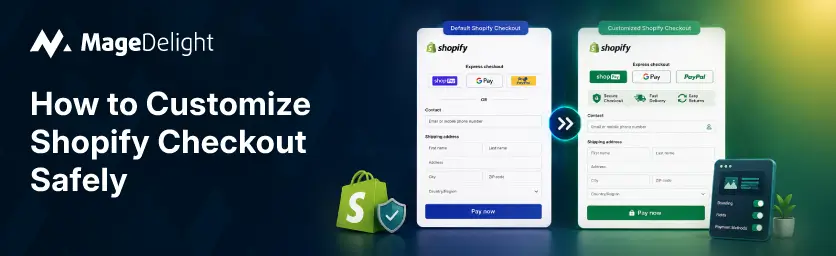
Shopify built its current checkout architecture around one requirement: no custom code touches the parent page. According to Shopify's own Partners documentation, every extension and pixel runs in a sandboxed JavaScript environment, isolated in Web Workers, with communication sanitized by a managed bridge. That sandbox is what makes PCI DSS v4 compliance workable at Shopify's scale. It's also the reason "customize safely" has become a real constraint, not just a nice-to-have, for anyone editing checkout in 2026.
The old path is gone. Shopify Scripts, the code editor that used to let merchants write custom discount, shipping, and payment logic directly into checkout, stopped accepting new edits on April 15, 2026, and stopped executing entirely on June 30, 2026. Any store still routing checkout logic through a Script is running frozen code with no way to fix it. If that's you, the migration isn't optional anymore, it's already overdue.
This guide covers the part most checkout tutorials skip: how to build customizations that survive Shopify's own platform updates, stay inside the sandbox's rules, and don't quietly create a compliance problem. Prerequisites, the actual build steps, the mistakes that cause failed deploys or silent breakage, and a straight answer on when to build it yourself versus bring in a partner.
Prerequisites
Before touching checkout, confirm three things:
• Your plan tier. Branding and app-based customization work on any Shopify plan. Custom fields, upsells inside checkout, and full UI extensions for the Information, Shipping, and Payment steps require Shopify Plus.
• Which system your store is actually running. Check Settings > Checkout in your admin. If you see a code editor for checkout.liquid or any reference to Shopify Scripts, you're on the legacy system and some of that logic has already stopped working.
• Developer resources. Code-free changes (branding, app blocks) don't need a developer. Anything involving a UI Extension or a Shopify Function does, since both are built and deployed through Shopify CLI.
Step 1: Confirm what you're allowed to touch
Shopify splits checkout customization into two separate systems that solve different problems, and mixing them up is the single most common planning mistake.
• Checkout UI Extensions handle anything the customer sees or interacts with: banners, upsell blocks, custom fields, trust badges. They render inside a sandboxed environment with no access to payment data or the raw checkout DOM.
• Shopify Functions handle the logic behind the scenes: discount rules, shipping rate changes, payment method filtering. They run server-side in WebAssembly and render nothing.
Most real customizations need both. A checkout upsell, for example, is a UI Extension to display the offer plus a Function to apply the discount when the customer accepts it. If you're setting up a Shopify store for the first time and checkout is just one piece of a larger launch, MageDelight's guide to building a Shopify store covers where checkout customization fits into the rest of the setup.
Step 2: Retire checkout.liquid and Scripts first
Don't build new customizations on top of a system that's already deprecated. Audit what's currently running in checkout.liquid or Shopify Scripts before adding anything new. Shopify's Scripts customizations report in the admin will show you what's active so you can map each piece to either a Function or a public app before rebuilding.
If you're planning a platform move at the same time, for example migrating off Magento entirely rather than just rebuilding checkout logic in place, it's worth folding this audit into that project rather than doing it twice. MageDelight's Magento to Shopify migration service builds SEO and checkout continuity into the cutover itself, so custom checkout logic gets rebuilt correctly the first time instead of patched twice.
Step 3: Build inside the sandbox's actual limits
A few hard constraints catch most teams by surprise mid-build:
• Compiled UI extension bundles can't exceed 64 KB. Shopify enforces this at deploy time, so a chart library or a heavy dependency can push a simple field over the limit fast.
• Extensions only get access to specific components and target APIs that Shopify exposes. There's no raw DOM access and no reading the checkout page's HTML.
• Apps that need protected customer data have to apply for it and pass Shopify's review process. Don't design a feature around data access you haven't confirmed you can get.
This is also where Shopify Plus's higher ceiling matters. Plus stores get full UI extensions for the Information, Shipping, and Payment steps, deeper branding control, and native B2B checkout options that Standard plans don't. MageDelight's Shopify development services page breaks down which checkout features are actually plan-gated versus available everywhere.
Step 4: Keep compliance-sensitive elements out of custom code
Anything with a legal or regulatory requirement attached, such as a consent notice, a jurisdiction-specific disclosure, or a security or trust badge, should go through a vetted app or a native block, not a hand-built extension. Rebuilding a compliance requirement in custom code means your store owns keeping it correct every time the underlying regulation or Shopify's own checkout structure changes. Letting an app or Shopify's native block handle it means that maintenance burden sits with someone actively tracking the requirement full-time.
Step 5: Test like the sandbox is the whole point
• Use Shopify CLI's dev server to preview the extension in a real checkout sandbox before deploying.
• Confirm placement in the checkout editor's preview. Block target locations are merchant-configurable, and it's easy to place an extension in the wrong slot on first setup.
• Place an actual test order and check the result on the order detail page in admin. If a custom field or attribute is missing there, the write failed silently. It isn't a rendering issue.
• As of API version 2026-04, Shopify supports unit tests for checkout UI extensions via @shopify/ui-extensions-tester, which is worth wiring into CI before this ships to production.
Step 6: Watch what breaks after the fact, not just at launch
A customization that works on launch day can still fail quietly months later if a dependency it relied on changes, or if a merchant reconfigures the checkout editor without realizing a block depended on a specific placement. Build a habit of checking Settings > Checkout periodically, especially after any Shopify platform update, to confirm every customization you expect is still actually running and not just installed.
checkout.liquid vs. Checkout Extensibility
|
Dimension |
checkout.liquid (legacy) |
Checkout Extensibility |
|
Where code runs |
Directly on the checkout page |
Isolated sandbox, separate from checkout |
|
Access to payment data |
Full page access |
None; sandbox has no access to sensitive payment info |
|
Survives platform updates |
Breaks silently on DOM changes |
Built against stable APIs; upgrade-safe |
|
Who can use it |
Was Plus/legacy stores only |
Available on all Shopify plans (block-based) |
|
Deploy limit |
None (arbitrary scripts) |
64 KB per compiled extension bundle |
|
Current status |
Deprecated; Scripts stopped executing June 30, 2026 |
Shopify's supported, ongoing framework |
Common Mistakes to Avoid
• Building on checkout.liquid after the fact. It's deprecated; new work belongs in Checkout Extensibility, full stop.
• Trying to squeeze business logic into a UI Extension. Extensions render interface. Discount, shipping, and payment logic belongs in a Function.
• Skipping the real test order. A preview in the checkout editor doesn't confirm the write actually landed in the order record.
• Ignoring the 64 KB bundle limit until deploy day. Check bundle size early, especially if you're pulling in any external library.
• Treating a compliance element as a design choice. A consent banner or regulatory disclosure needs a maintained app or native block behind it, not a one-off extension nobody owns.
What a Safe Custom Checkout Field Looks Like
MageDelight built its reputation on Magento checkout extensions, things like gift messages, delivery date pickers, and extra-fee fields, long before Checkout Extensibility existed on Shopify. The pattern that made those extensions safe on Magento is the same one that matters now: a scoped, single-purpose field, built for one job, tested against a real order flow, and left alone once it worked. That's exactly what MageDelight's Shopify app development team carries over to Shopify UI Extensions: nothing about a good result depends on clever checkout code. It depends on the customization staying inside what the platform actually supports.
Which Path Fits Your Store
• Running a handful of branding tweaks and an app-based upsell? Standard plan tools and the checkout editor cover this without touching code.
• Still have active Shopify Scripts or checkout.liquid logic? Audit and migrate that first. It's already frozen code, not a future risk.
• Need custom fields, checkout upsells, or B2B checkout logic? That's Plus territory, and it's worth having a developer build it against Shopify's actual sandbox constraints rather than guessing at them.
If your team doesn't have the bandwidth to own the CLI setup, the testing, and the ongoing monitoring this guide walks through, that's exactly the gap MageDelight's Shopify development services and Shopify app development teams are built to close, configuration, checkout rebuild, and testing included, not just the extension itself.
Frequently Asked Questions
Here are answers to the most common questions about customizing Shopify checkout safely.
Is it still possible to edit checkout.liquid?
No. checkout.liquid stopped rendering the Information, Shipping, and Payment steps as Shopify completed the shift to Checkout Extensibility. Any store still depending on it needs to migrate to UI Extensions and Functions.
Do I need Shopify Plus to customize checkout at all?
No. Branding, one-page versus multi-step layout, and app-based block customizations are available on every plan. Plus is required for full UI extensions on the Information, Shipping, and Payment steps, custom fields, and checkout upsells.
Can a checkout extension access customer payment details?
No. Extensions run in an isolated sandbox with no access to sensitive payment information or the checkout page's HTML. That's a deliberate platform boundary, not a configuration option.
What happens to my old Shopify Scripts now that the deadline has passed?
They've stopped executing. Any discount, shipping, or payment logic that depended on a Script is no longer running, whether or not that's obvious from the storefront. Migrating that logic to a Shopify Function is the only path back to working checkout logic.
