


PayPal is a player in the global payment gateway market. It holds over 9.5% of the market on its own. When you add Stripe, Square, FIS, and Fiserv to the mix, the top five processors control 38.8% of the market. This is according to Global Market Insights.
For Adobe Commerce merchants, the choice of payment gateway is not about which one is the best. It is about which one your customers trust and which one your development team can maintain.
Recently, Adobe Commerce changed the rules. Starting with the 2.4.4 release, Amazon Pay and Klarna are no longer included as extensions in Magento Open Source and Adobe Commerce core. They are now available in the Commerce Marketplace. Merchants who are using 2.4.4 or later have to install and maintain them separately. Adobe also has its native option now, Payment Services, which is built on the PayPal Commerce Platform. It is set as the default payment solution for Adobe Commerce as a Cloud Service.
This guide will cover what is actually native to Adobe Commerce and what requires a third-party extension. It will also look at the 2026 pricing for each option. At the end, it will provide a scenario-based recommendation to help you choose a payment gateway.
What Changed for Magento Payment Gateways in 2026
There are a few changes you should know about before you pick a payment gateway:
-
Amazon Pay and Klarna are only available in the Marketplace as of 2.4.4. If you are upgrading from a release, you need to budget time to reinstall and reconfigure these through Composer.
-
Adobe Payment Services is the default for Adobe Commerce as a Cloud Service. This changes the way merchants who previously used Braintree or a standalone PayPal integration do things.
-
Square raised its processing rate for free-tier accounts from 2.9% + $0.30 to 3.3% + $0.30 in January 2026. This is a change if Square was your baseline comparison.
-
Stripe, Braintree, and Adyen still require a Marketplace extension for Adobe Commerce. They are not part of the core.
How to Compare Adobe Commerce Payment Gateways
The truth is, no single payment gateway is the best in every way. A flat-rate processor like Stripe is simple to understand but gets expensive at volume. An interchange-plus processor like Adyen is cheaper at scale but harder to estimate upfront.
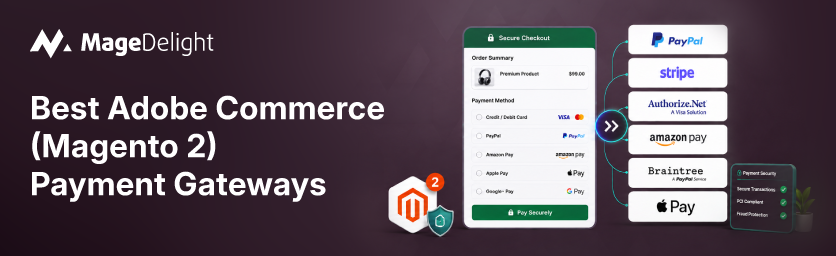
Here is how the eight relevant options for Adobe Commerce stack up:
|
Gateway |
Native to Adobe Commerce |
Starting Fee |
Chargeback Fee |
Best For |
|
Adobe Payment Services |
Yes (default on Cloud) |
Interchange-based, via PayPal Commerce Platform |
Varies by processor |
Cloud merchants avoiding extension overhead |
|
PayPal |
Yes (core) |
~3.49% + $0.49 (PayPal Checkout, US) |
$20 (not refunded) |
Buyer trust and one-click checkout |
|
Stripe |
No (Marketplace extension) |
2.9% + $0.30 (US online) |
$15 (refunded if won) |
Headless or custom checkout builds |
|
Braintree |
Yes (core) |
2.59% + $0.49 |
$15 |
PayPal and Venmo under one contract |
|
Adyen |
No (Marketplace extension) |
From ~0.6% + €0.11 (interchange-plus) |
Varies, up to ~$100 |
High-volume enterprise merchants |
|
Authorize.Net |
Yes (core) |
$25/mo + 2.9% + $0.30 |
~$25 |
Predictable, fixed monthly costs |
|
Square |
No (Marketplace extension) |
3.3% + $0.30 online (Free plan) |
$0 |
Stores with a physical retail location |
|
Amazon Pay |
No since 2.4.4 (Marketplace extension) |
Comparable to card rates, ~2.9% + $0.30 |
Varies |
Stores targeting existing Amazon shoppers |
A note on the numbers: percentage-based rates change with card type, region, and volume. So treat these as starting points for budgeting, not a quote. Confirm pricing directly with each provider before you commit.
The 8 Best Adobe Commerce Payment Gateways
1. Adobe Payment Services
Adobe Payment Services is Adobe's payment product. It is built on the PayPal Commerce Platform. It gives merchants a turnkey setup with sandbox testing directly inside the Commerce Admin. It is the default payments solution on Adobe Commerce as a Cloud Service. This means no third-party extension to patch or version-match on every upgrade.
-
Best for: Adobe Commerce Cloud merchants who want one vendor and one support line for payments.
-
Pricing: Interchange-based routed through PayPal's processing infrastructure. Confirm rates with Adobe.
-
Native status: Built in, no extension required.
2. PayPal
PayPal is still the recognized payment brand at checkout. This recognition still converts. It is one of the payment methods Adobe Commerce ships with out of the box. The trade-off is a per-transaction cost than a pure card processor. There is also a chargeback fee that is not refunded when the merchant wins the dispute.
-
Best for: Merchants who need the trust signal of a checkout button.
-
Pricing: 3.49% + $0.49 for PayPal Checkout transactions in the US.
-
Native status: Built in.
3. Stripe
Stripe is not bundled with Adobe Commerce.. It is the go-to choice for merchants running headless or PWA storefronts. They need an API rather than a hosted checkout page. Its flat 2.9% + $0.30 US rate is easy to model. However, international cards and currency conversion add up fast on border-free stores.
-
Best for: Custom checkout flows, subscriptions, and headless Adobe Commerce builds.
-
Pricing: 2.9% + $0.30 per US online card transaction % for international cards.
-
Native status: Requires a Marketplace or third-party extension.
Since Stripe is not native, the integration quality depends on the extension you pick. MageDelights Stripe payment module for Magento 2 adds saved-card management and Alipay support on top of Stripe checkout.
4. Braintree
Braintree is owned by PayPal.. It is priced and positioned differently. It is the option for merchants who want PayPal and Venmo acceptance alongside standard card processing. This is all under an integration. It ships as one of Adobe Commerce's built-in gateway options.
-
Best for: Merchants who want PayPal, Venmo, and cards under one contract without stitching separate integrations.
-
Pricing: 2.59% + $0.49 for card transactions; no monthly fee.
-
Native status: Built in.
5. Adyen
Adyen uses interchange-plus pricing rather than a flat rate. This is harder to estimate but tends to come out cheaper at real scale. It is a pick for large Adobe Commerce enterprise deployments. These deployments process high transaction volumes across currencies and regions.
-
Best for: volume, multi-currency enterprise merchants.
-
Pricing: From 0.6% + €0.11 under its IC++ model plus variable interchange and scheme fees.
-
Native status: Requires a Marketplace or third-party extension.
6. Authorize.Net
Authorize.Net has been one of Adobe Commerce's built-in gateway options for years. It is the pick for merchants who would rather budget a monthly fee than watch a percentage rate fluctuate with volume. The trade-off is that $25 a month is a fixed cost regardless of how you process.
-
Best for: Merchants who want predictable fixed monthly costs.
-
Pricing: $25/month + 2.9%. $0.30 per transaction all-in-one plan. A gateway plan runs $25/month + $0.10 per transaction plus a daily batch fee.
-
Native status: Built in.
The built-in Authorize.Net integration does not include Customer Information Manager (CIM) support out of the box. Merchants who want customers to save cards for repeat purchases typically add an extension like MageDelights Authorize.Net CIM extension. This enables that on top of core.
7. Square
Square's appeal for Adobe Commerce merchants is less about the rate. It is more about omnichannel. If you run a storefront alongside your Magento site, Squares POS and online processing share one dashboard. It is also the processor here that charges no chargeback fee at all.
-
Best for: Stores with a retail location alongside their Adobe Commerce site.
-
Pricing: 3.3% + $0.30 on the Free plan drops to 2.9% + $0.30 on the $49/month Plus plan.
-
Native status: Requires a Marketplace or third-party extension.
8. Amazon Pay
Amazon Pay lets customers check out using their existing Amazon account and stored payment details. This can lift conversion for shoppers who would rather not create an account. Since Adobe Commerce 2.4.4, it is no longer bundled with core. Has to be installed from the Commerce Marketplace.
-
Best for: Stores whose customer base already shops on Amazon.
-
Pricing: Comparable to card processing rates, roughly 2.9% + $0.30. Confirm terms directly with Amazon Pay.
-
Native status: Marketplace extension since 2.4.4, previously bundled through 2.4.3.
Native vs. Third-Party: What's Actually Built Into Adobe Commerce
Adobe Commerce and Magento Open Source ship with PayPal, Braintree, and Authorize.Net as built-in gateway options. They also have a set of payment methods that do not require a third-party processor at all. Adobe Payment Services is the native addition. It is positioned as the default for Cloud Service merchants. Everything else on this list Stripe, Adyen, Square, and Amazon Pay since 2.4.4 comes from the Commerce Marketplace as a maintained extension.
This distinction matters for two reasons. First, native gateways generally survive platform upgrades with friction. This is because Adobe tests them against each core release. Second, Marketplace extensions depend on their developer keeping pace with Adobe Commerce version changes. So it is worth checking an extension's update date before you standardize on it.
For a look at what is available beyond the eight covered here, including tokenization-focused options like CyberSource and First Data, MageDelight maintains a Magento 2 payment gateway extensions category. It has compatibility notes for each.
Which Gateway Should You Really Choose
If you want an answer: Adobe Payment Services is a good choice if you are building a new Adobe Commerce Cloud store. If you have a store on your servers and want a reliable option that is already built in, you can use PayPal or Braintree. If you are running a store, Stripe is a good option. If you are processing a lot of transactions, like a company, Adyen is a good choice. If you want to know exactly how much you will pay each month, Authorize.Net is an option.
-
Adobe Commerce Cloud store: Adobe Payment Services is a good choice because it is already set up and you do not have to worry about maintaining it.
-
Progressive web app store: Stripe is a good choice because it has a lot of features and is flexible.
-
company processing a lot of transactions: Adyen is a good choice once you are processing enough transactions to make it worth it.
-
Store with a location: Square is a good choice because it lets you use the same system for online and in-person sales.
-
Business on a budget: Authorize.Net is a choice because it charges a flat monthly fee instead of a percentage of each sale.
No matter which gateway you choose, do not think that it is a decision. Adobe Commerce lets you use gateways at the same time, and it is normal to change your mind as your business grows and changes.
One more thing to consider, no matter which gateway you choose, is the checkout process. Making the checkout process simpler, like with a one-step checkout extension, can actually make a difference more than switching gateways.
Frequently Asked Questions
What is the difference between a payment gateway, processor, and method?
A payment method is what the customer sees at checkout, like a PayPal button. A payment gateway transmits the transaction data. A payment processor moves the money between the customer's bank and the merchant's account. In practice, providers like PayPal, Braintree, and Stripe bundle all three roles. This is why the terms often get used interchangeably even though they describe steps in the same chain.
Do I have to use Adobe Payment Services?
No. It is the default on Adobe Commerce as a Cloud Service. Merchants can configure any of the built-in or Marketplace gateways instead. They can also run several at once.
Can I run more than one payment gateway at the same time?
Yes. It is common practice. Offering a card processor alongside PayPal or Amazon Pay gives customers a choice. It also adds redundancy if one provider has an outage.
Who is responsible for PCI compliance?
The person selling things online is always in charge of making sure they follow the PCI DSS rules. Using a hosted or tokenized gateway helps a lot because it keeps the credit card information off your servers. You should look at the PCI documentation for each gateway, rather than just assuming that everything is taken care of for you.
